
How to find decision makers in a company with Sales Navigator?
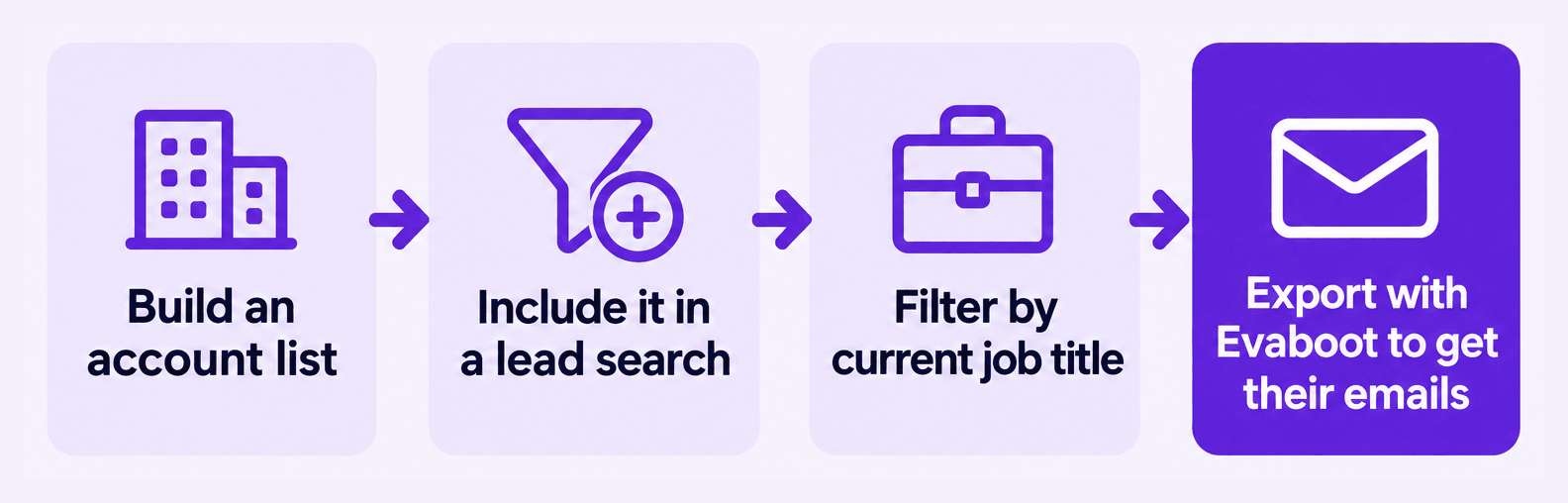
Get the emails of decision-makers at your target accounts. Build an account list, add it to your lead search, then filter for the right job titles.
Build the account list
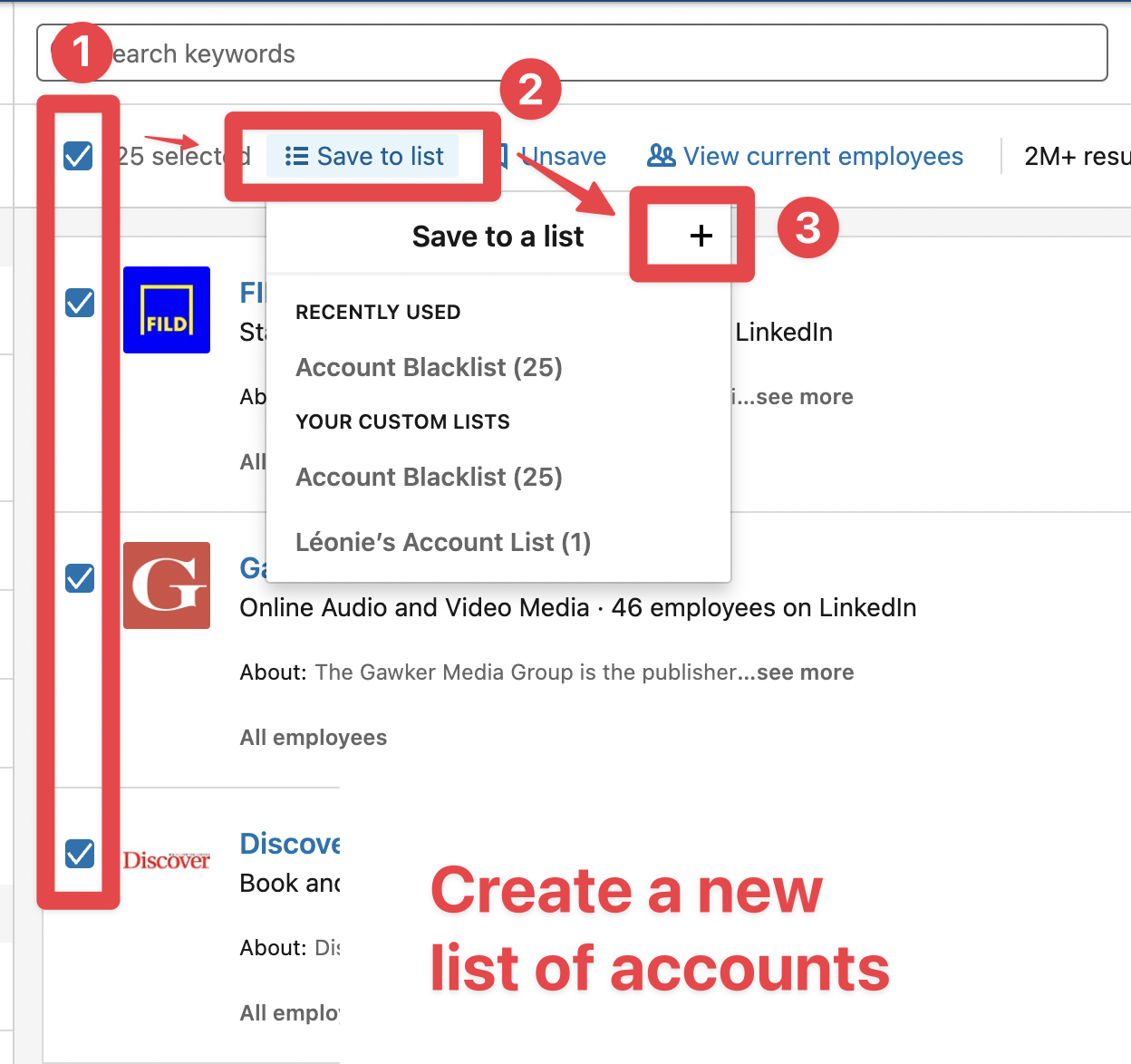
Section titled “Build the account list”- Search for accounts you want to target.
- Tick the checkboxes, then click Save to list and the + button to create your account list.
Add the account list to your lead search
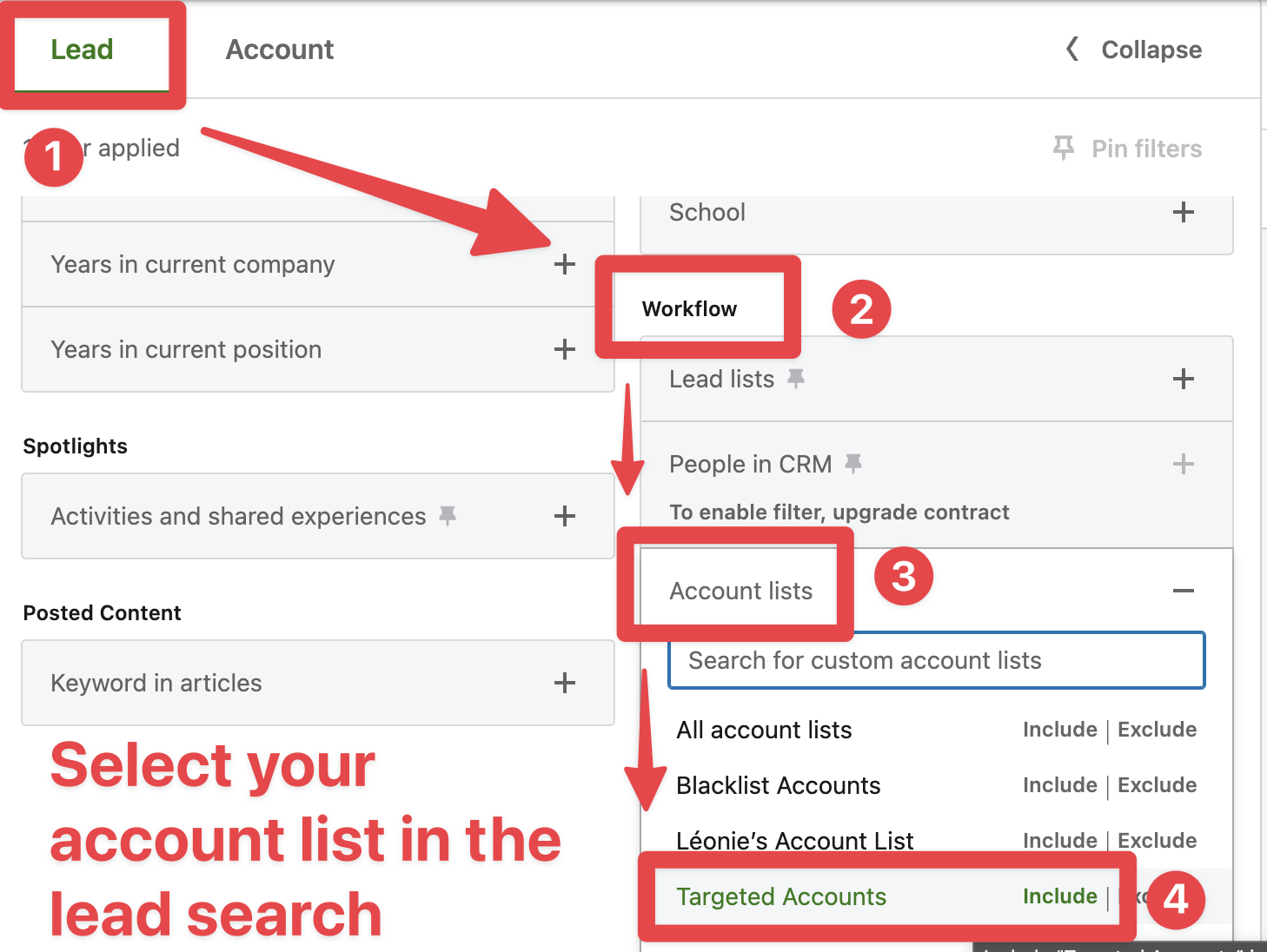
Section titled “Add the account list to your lead search”- In a lead search, open the Workflow filters, expand Account lists, and click Include next to your list.
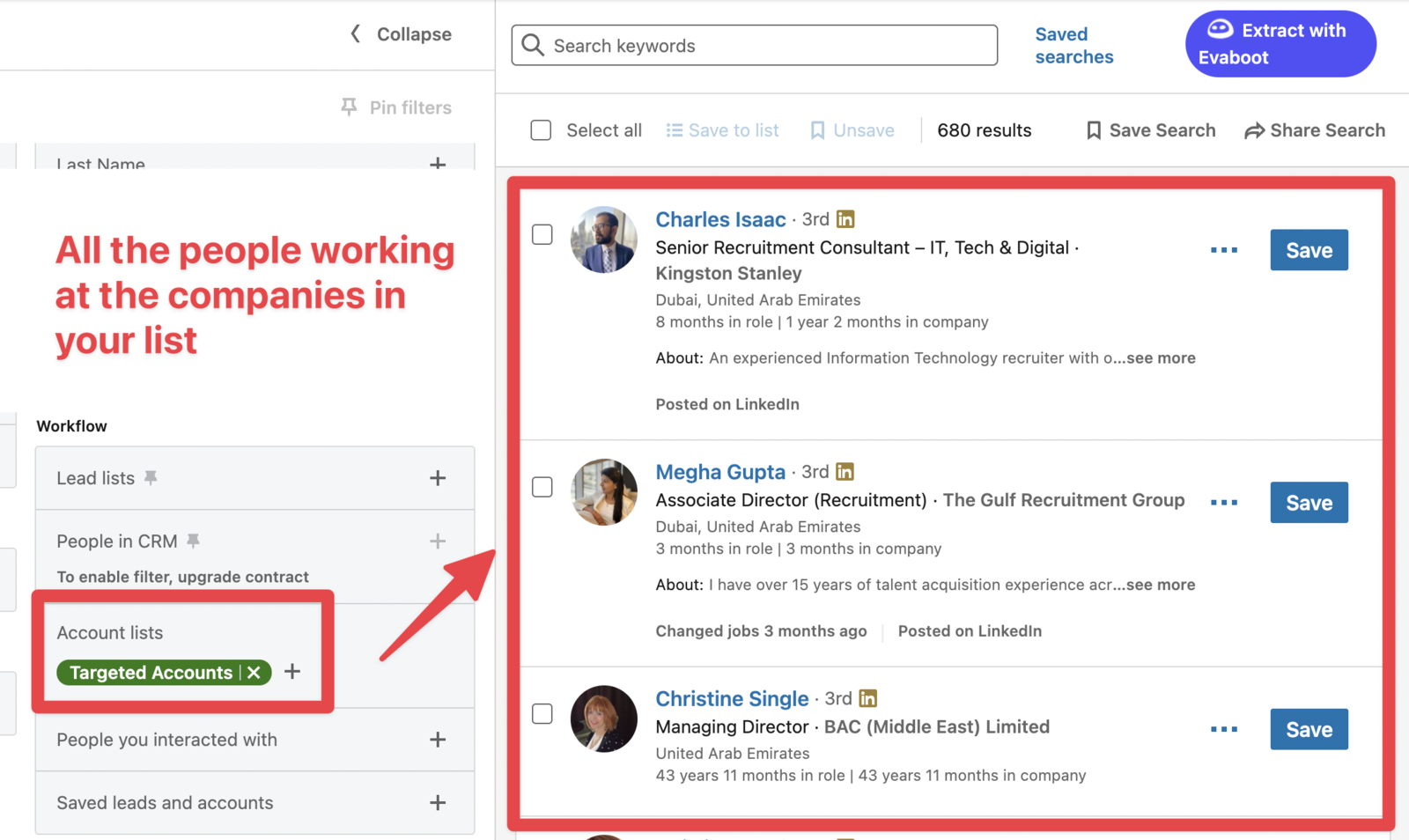
Once you select your list, you’ll see everyone who works at these companies on the right.
Filter for decision-makers
Section titled “Filter for decision-makers”- Add filters to identify the decision-makers in these companies — for example,
Current job title.
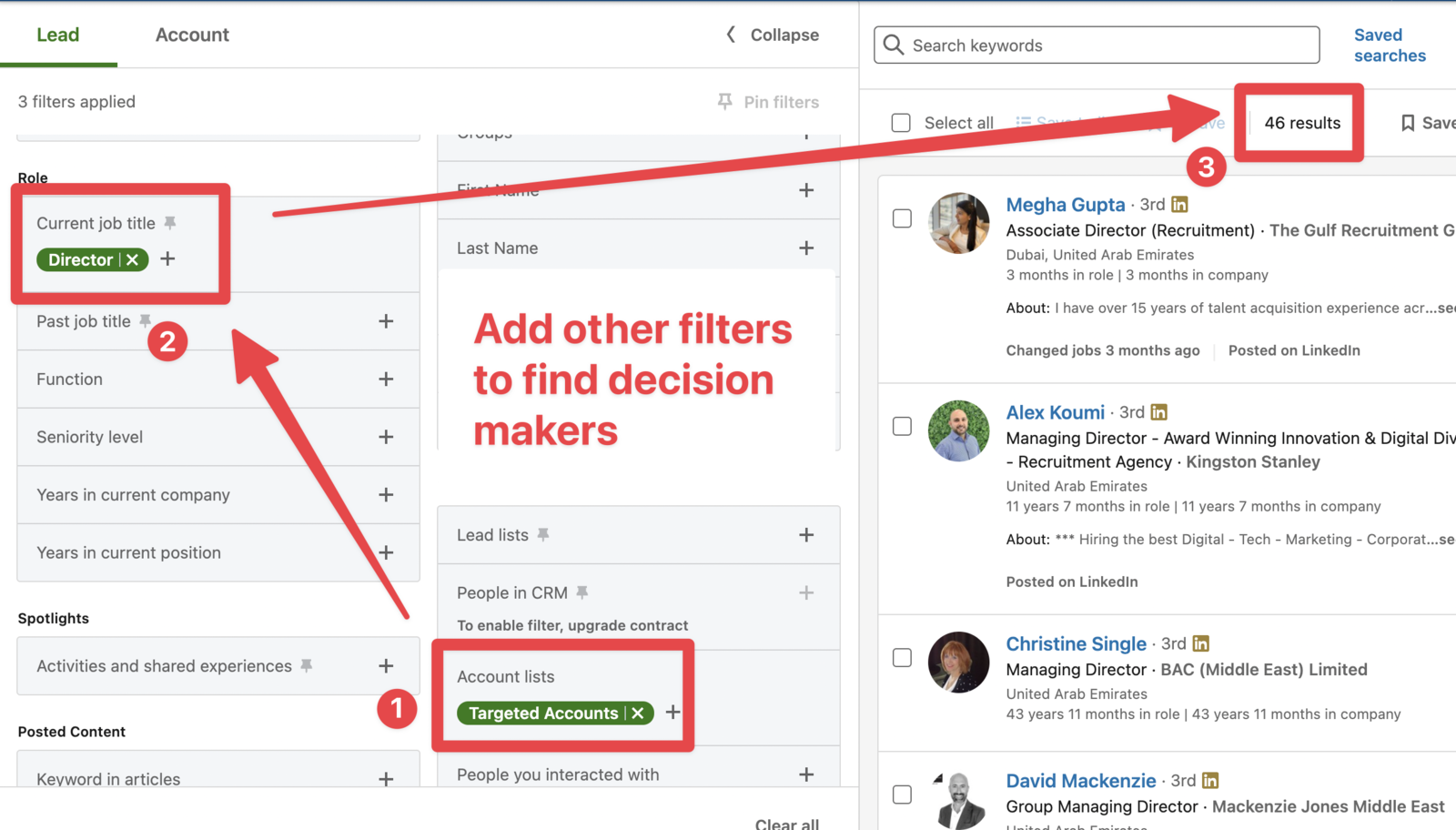
In this example, adding Director to the Current job title filter gives a targeted list of decision-makers.
- Extract the search with Evaboot to get their emails.