
How to cancel or pause my subscription?
Pausing and cancelling are both self-serve, and both live on the same page.
Before you start
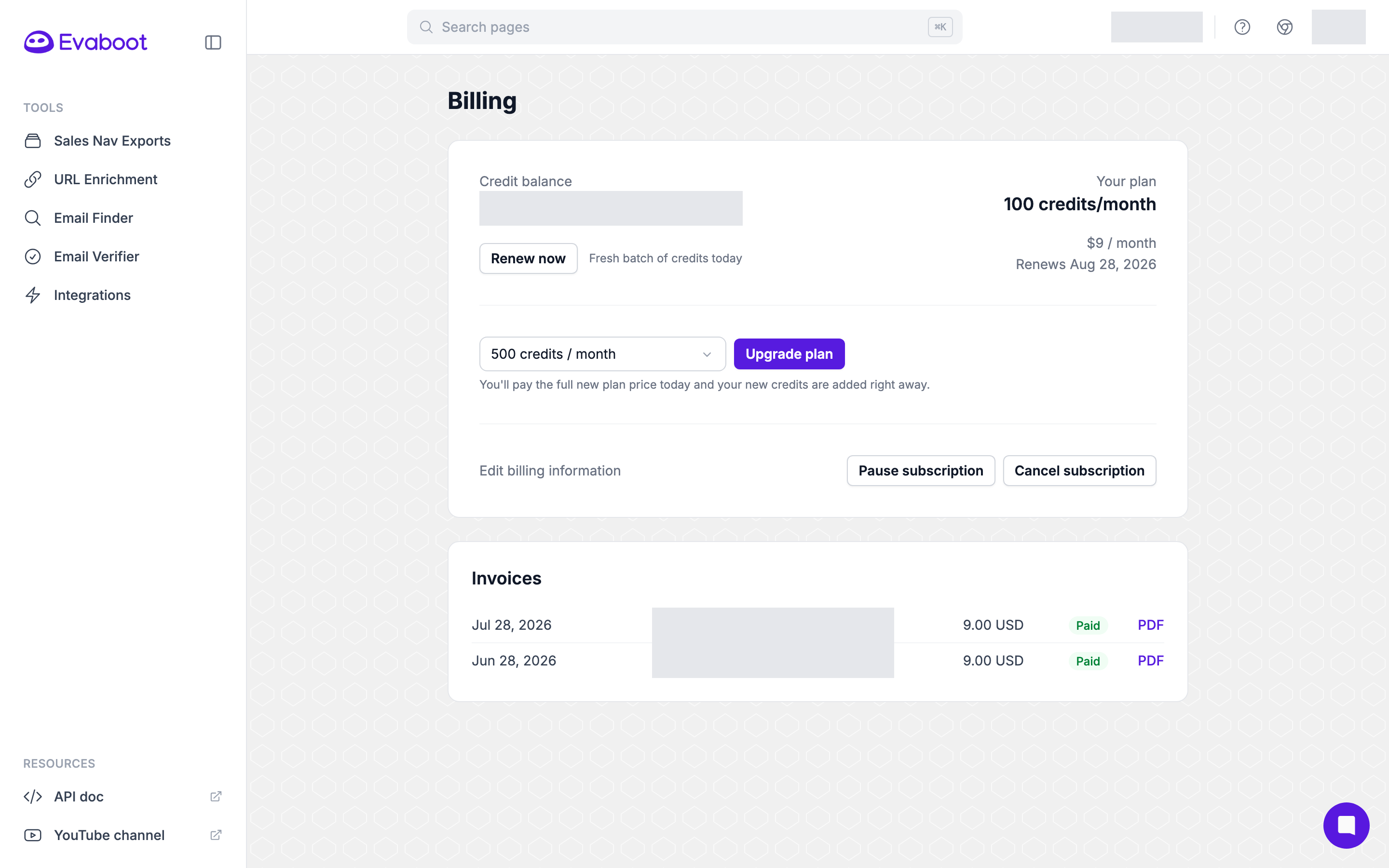
Section titled “Before you start”- Both actions are on Billing in the Evaboot dashboard: dash.evaboot.com/dash/subscription/.
- Monthly plans can be paused or cancelled at any time.
- Yearly plans cannot be cancelled or downgraded before the end of the contract. To change a yearly plan, contact support.
- Neither action deletes your account. Your exports and history stay where they are.
How to pause your subscription
Section titled “How to pause your subscription”-
Open Billing and click Pause subscription.
-
Choose 1, 2 or 3 months, then click Confirm pause.
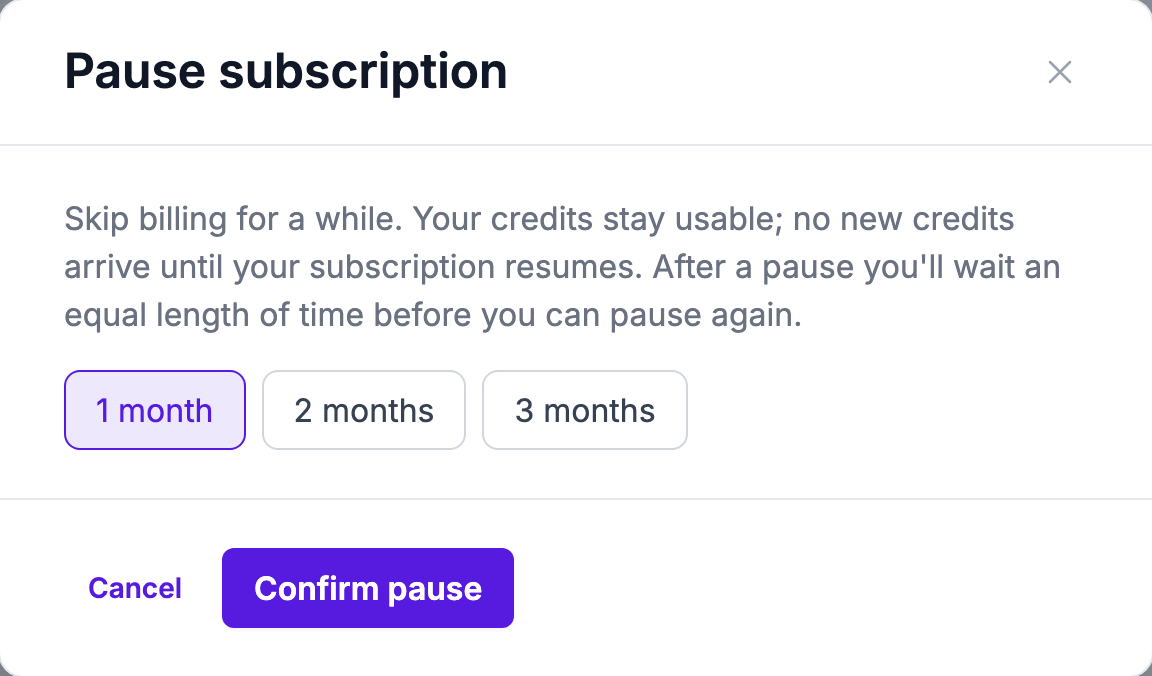
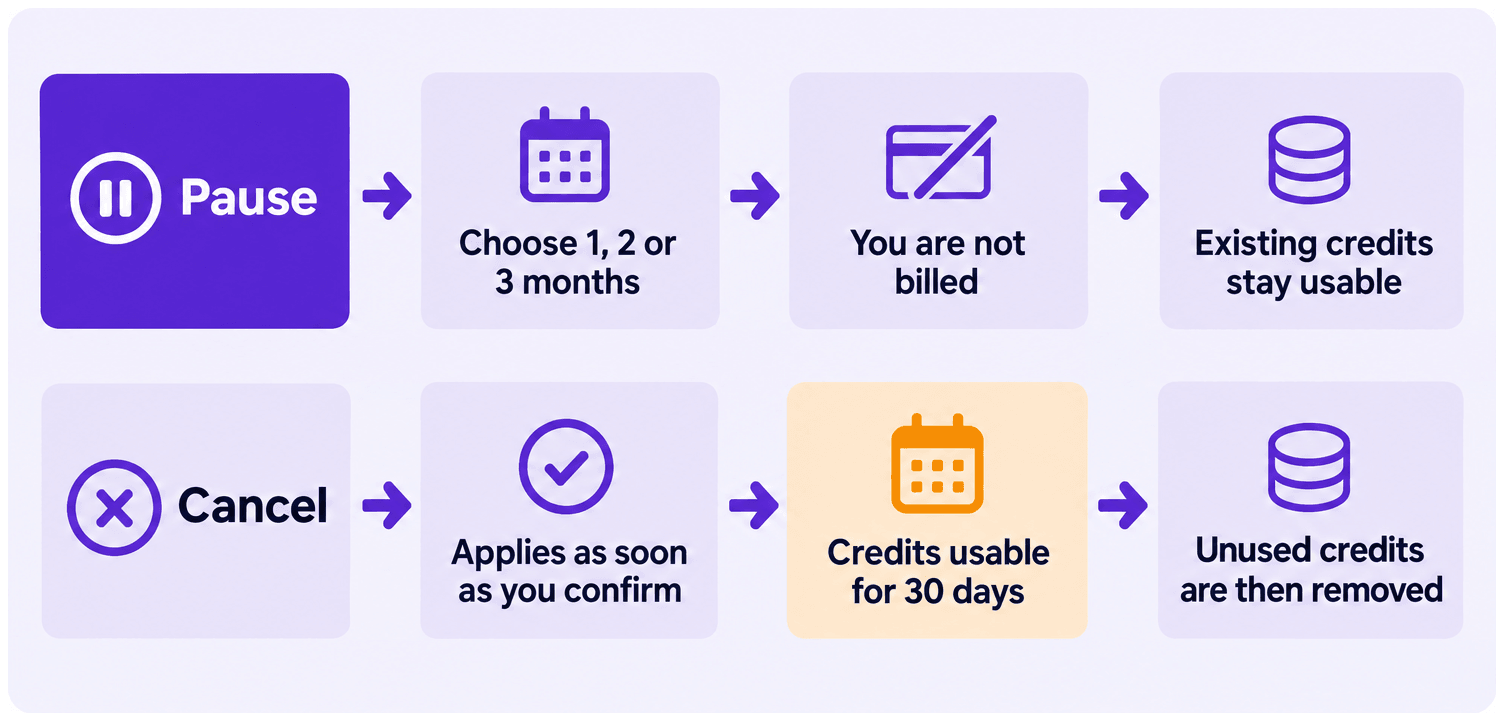
While paused, you are not billed. Your existing credits stay usable, and no new credits arrive until the subscription resumes.
One rule worth knowing before you pick a length: after a pause you wait an equal length of time before you can pause again. A three-month pause means three months before the next one.
What Billing looks like while you are paused
Section titled “What Billing looks like while you are paused”The page changes once the pause is on. Where the renewal date used to be, it reads Paused · resumes followed by the date the plan starts again. A Resume now button appears next to it. Your credit balance is unchanged.
Two controls disappear while a pause is running:
- The plan selector is gone. You cannot upgrade or downgrade a paused subscription. Resume first, then change the plan.
- Pause subscription is gone, because you are already paused.
Cancel subscription and Edit billing information stay available.
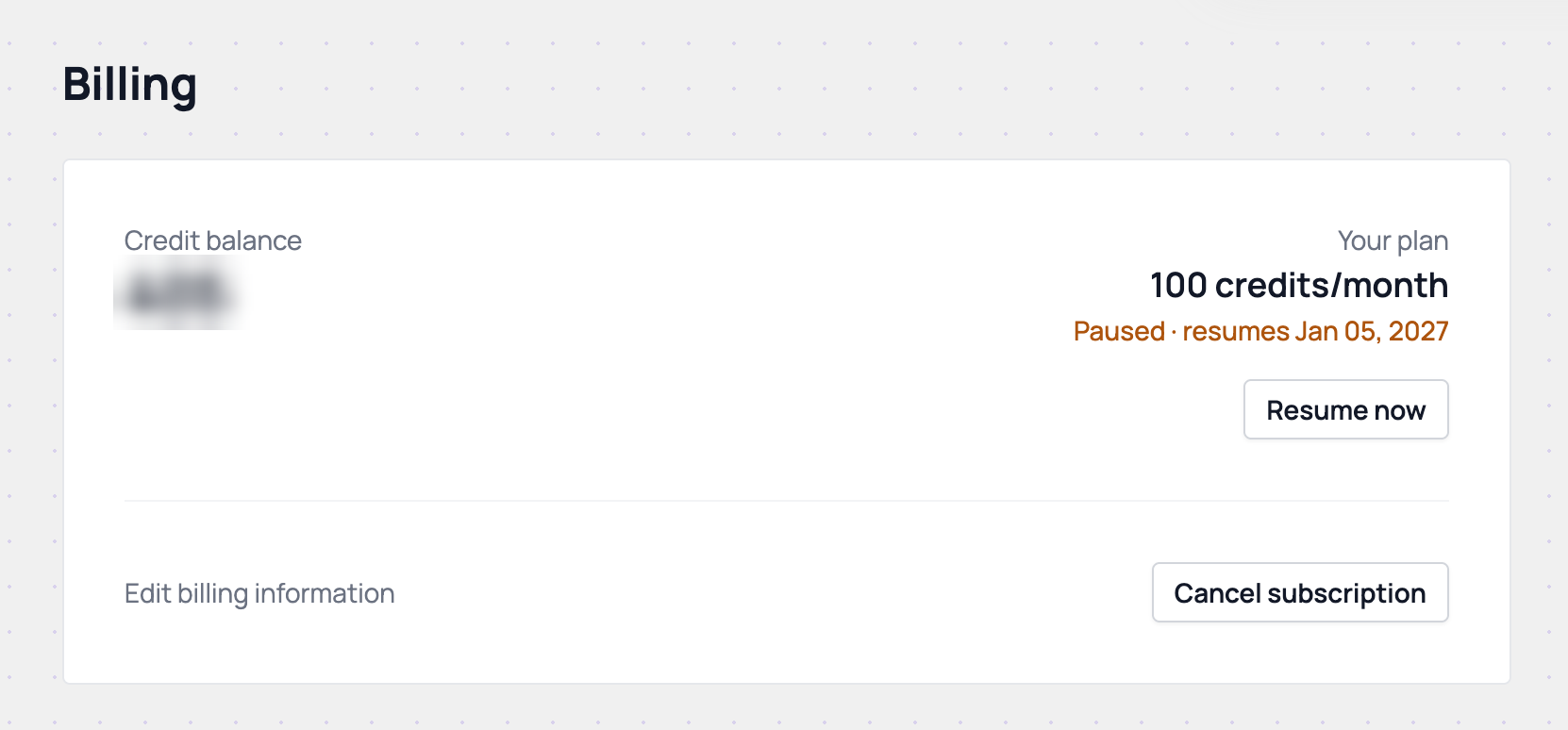
Click Resume now to restart the plan before the resume date. You do not have to wait for it.
How to cancel your subscription
Section titled “How to cancel your subscription”Cancelling takes four screens. Nothing is cancelled until you finish the last one.
-
Open Billing and click Cancel subscription.
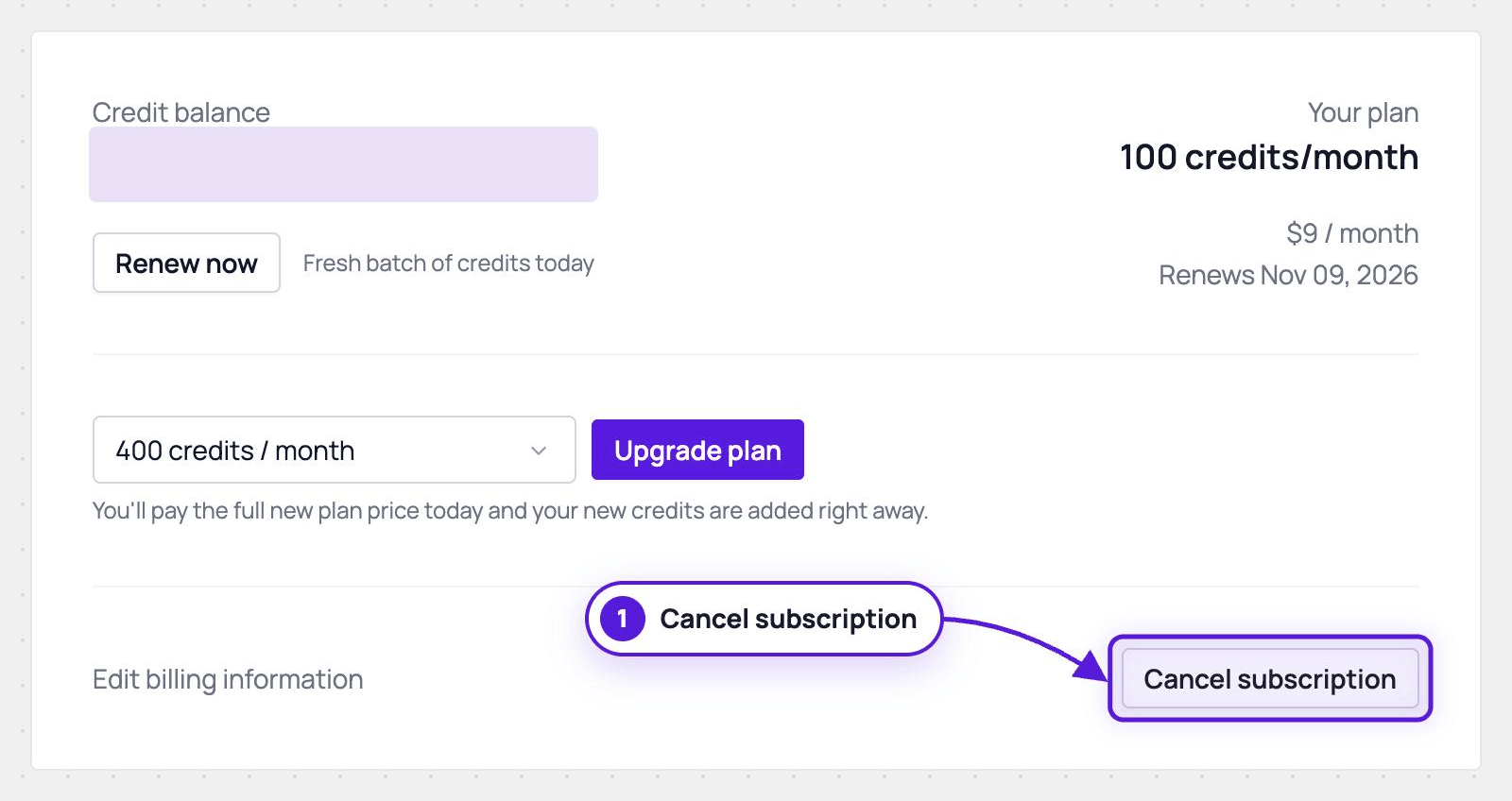
If your subscription can be paused, the first screen offers a pause instead. Click No thanks to continue cancelling, or pick a length and Pause instead to stop here. If it cannot be paused, you go straight to the next screen.
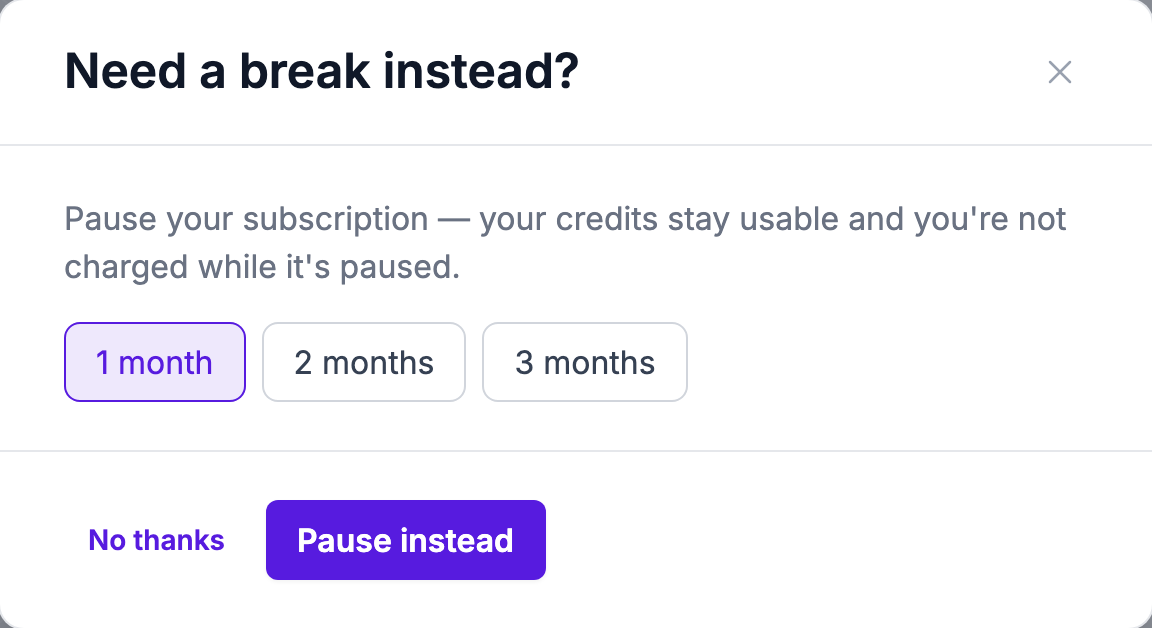
-
Pick a reason and click Continue.
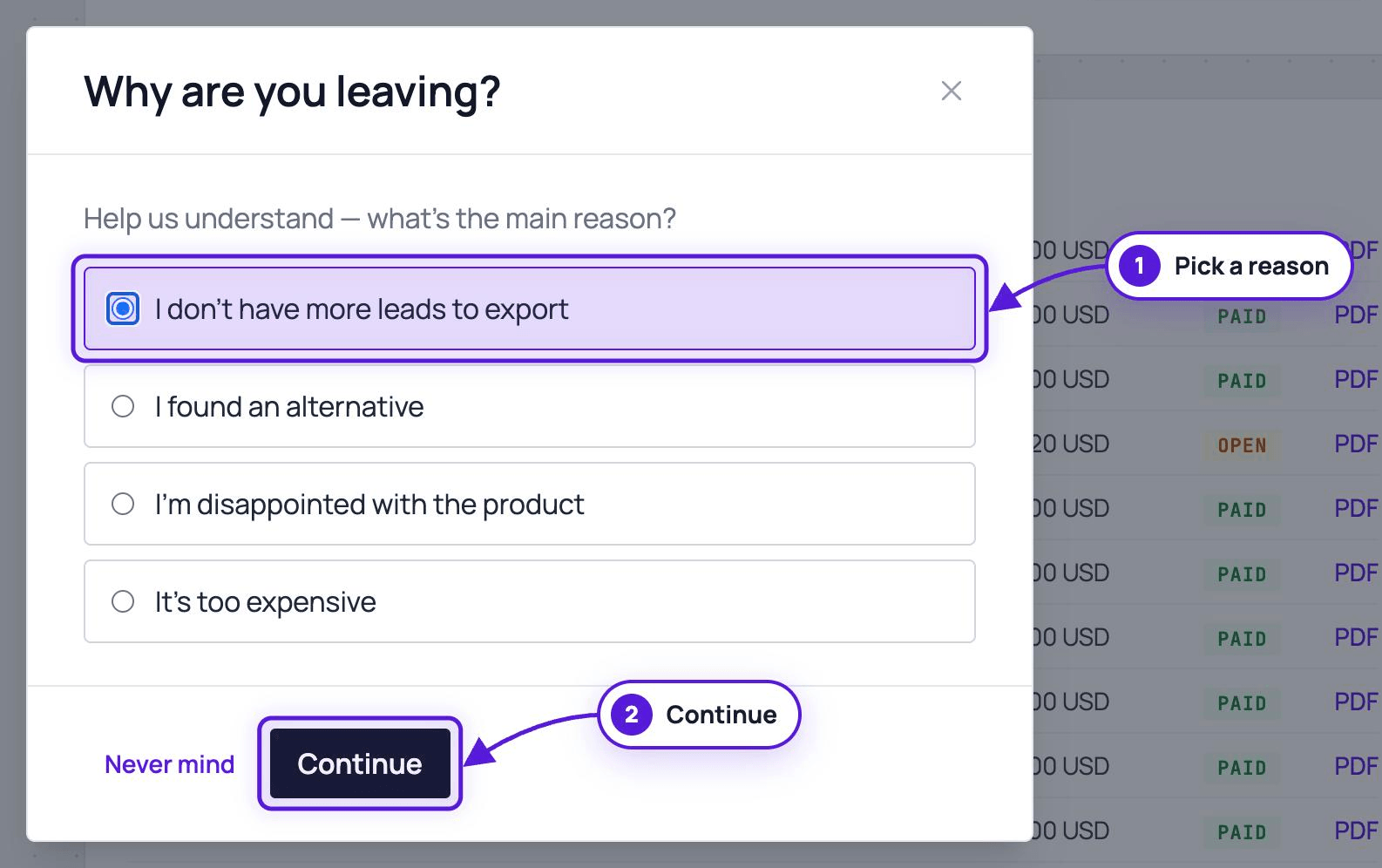
-
A suggestion appears, based on the reason you picked. Click Cancel anyway to continue, or Keep my subscription to stop here. Some reasons skip this screen.
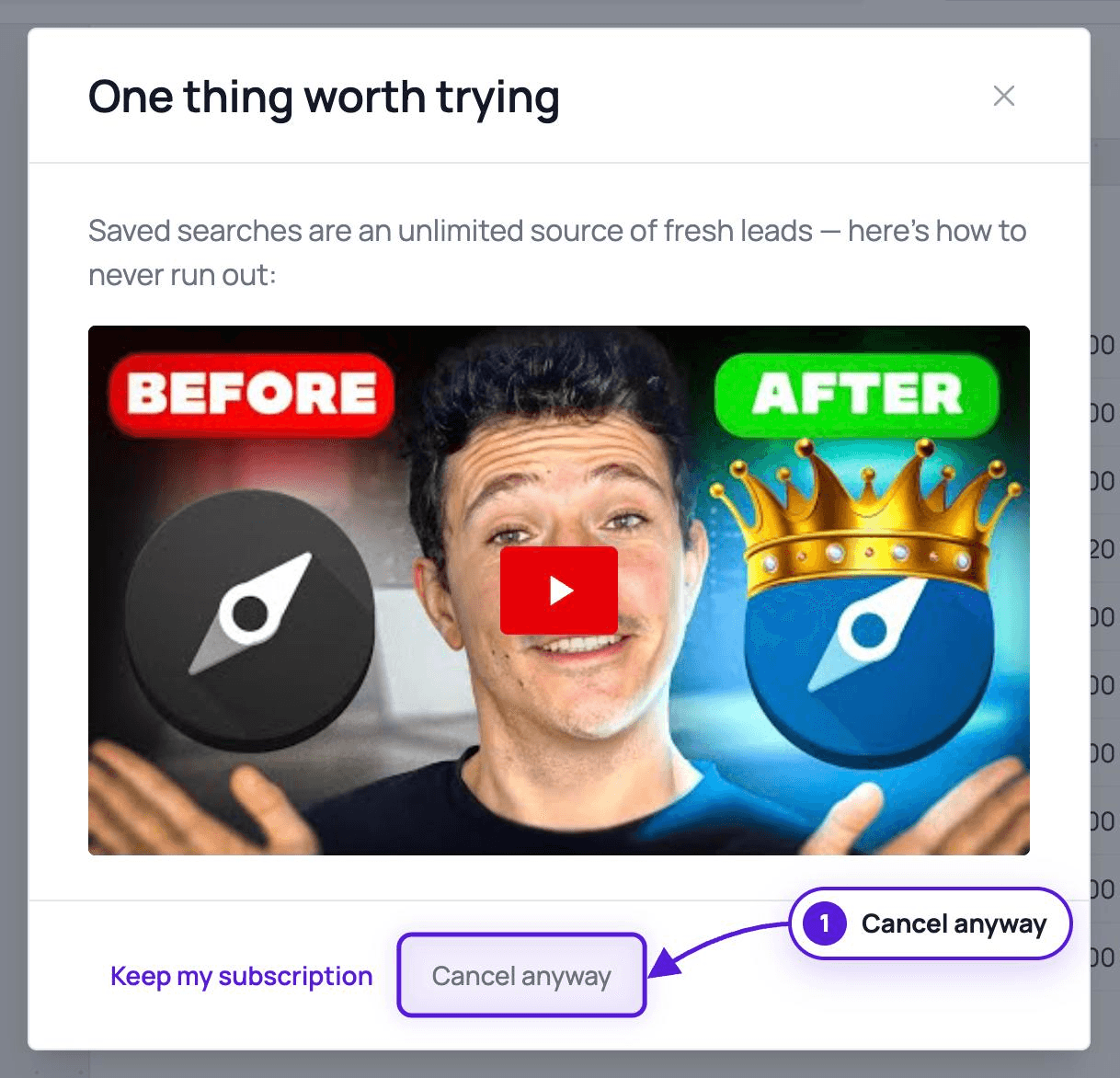
-
Confirm on the last screen. The cancellation applies as soon as you confirm it.
What happens to your credits after you cancel
Section titled “What happens to your credits after you cancel”Cancelling takes effect when you confirm it, not at the end of the billing period.
Your account stays open and you can keep using Evaboot afterwards. What needs credits is unlocking a list. Your credits stay usable for 30 days from the day you cancel. Once those 30 days pass, any unused credits are removed, so unlocking anything after that means subscribing again.
If you do subscribe again, your old credits can be put back. Resubscribe on any plan, then ask for a human agent in the support chat, and we will restore them.
Did the cancellation go through?
Section titled “Did the cancellation go through?”The Billing page is the source of truth. Reload it. If your plan still shows a renewal date and a Cancel subscription button, the cancellation did not complete, and you can run through it again.