
How do I export a search with more than 2,500 leads?
Narrow or split the search into chunks under 2,500 leads, then export each chunk.
Evaboot collects only the first 2,500 leads of a search, or the first 1,000 accounts of an account search. The rest does not reliably export, and you cannot tell which leads were missed. Waiting does not fix it: split the search.
Narrow it with a list
Section titled “Narrow it with a list”A list is the better way to narrow a search.
- Include an account list in your lead search. Open the Workflow filters, expand Account lists, and click Include next to your list. Only people at those companies show. See How to Find Decision Makers in a Company with Sales Navigator?.
- Save leads to a lead list, then export the list. Tick the leads, click Save to list, then Create new list. A lead list holds about 1,000 leads, a LinkedIn limit. See Can I Choose How Many Leads to Export?.
Split it with filters
Section titled “Split it with filters”Use the Function or Seniority Level filter to cut the search into chunks.
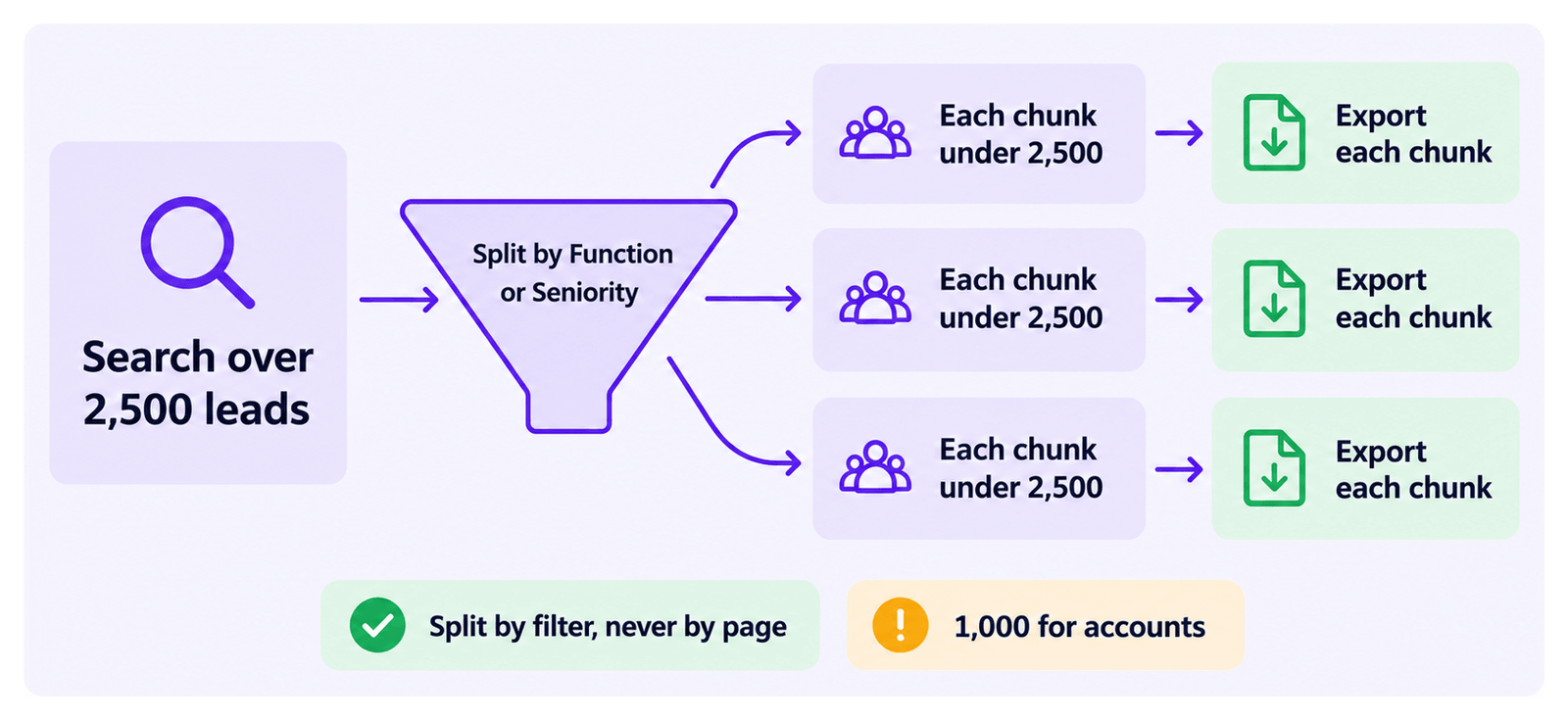
- Keep each chunk under 2,500 leads (1,000 for accounts), and export each one separately.
- Split by filter, never by page. Sales Navigator reorders results, so page-by-page batches overlap.
- Use these two filters only to split searches, not to target leads. They give irrelevant results when used for regular targeting.
Let an AI assistant do it
Section titled “Let an AI assistant do it”The Evaboot MCP server can split or narrow a search for you. See How Do I Use Evaboot from Claude, ChatGPT or Cursor?.