
How do I export a Sales Navigator search with Evaboot?
Sales Navigator will not give you your search as a file. Evaboot does, and fixes three things on the way out: the data is messy, some results do not match your filters, and there are no email addresses.
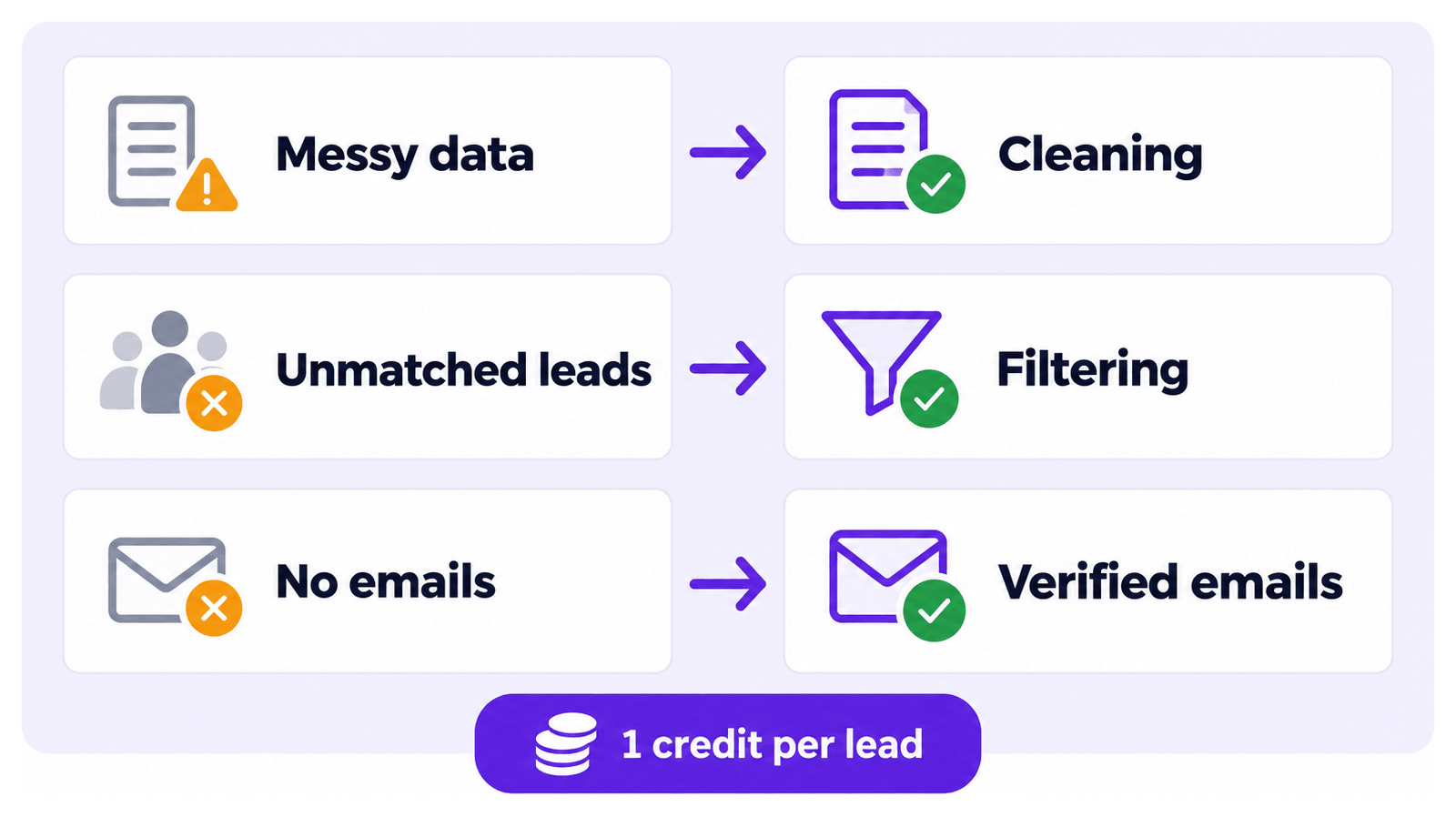
How an export runs
Section titled “How an export runs”- Build your search or list in Sales Navigator.
- Click Export Leads on the Sales Navigator page. The button comes from the Evaboot Chrome extension, which is required: see How Do I Install or Update the Evaboot Extension?.
- Track it in the dashboard. Every export appears at dash.evaboot.com/dash/exports/ with its status, its lead count, how many emails were found, and the date.
- Scheduled means the export is waiting for your Sales Navigator account’s 24-hour capacity. It launches by itself. More exports launched after it can push it back.
- A normal export finishes well under a couple of hours. If yours runs longer, tell us in the chat.
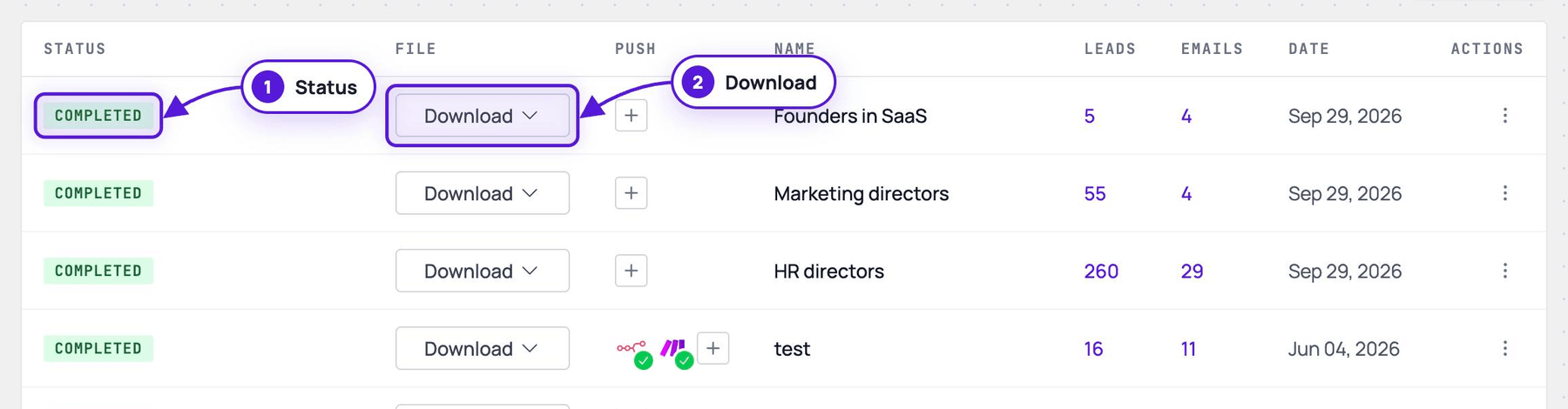
-
Download it when it finishes, as CSV or XLSX.
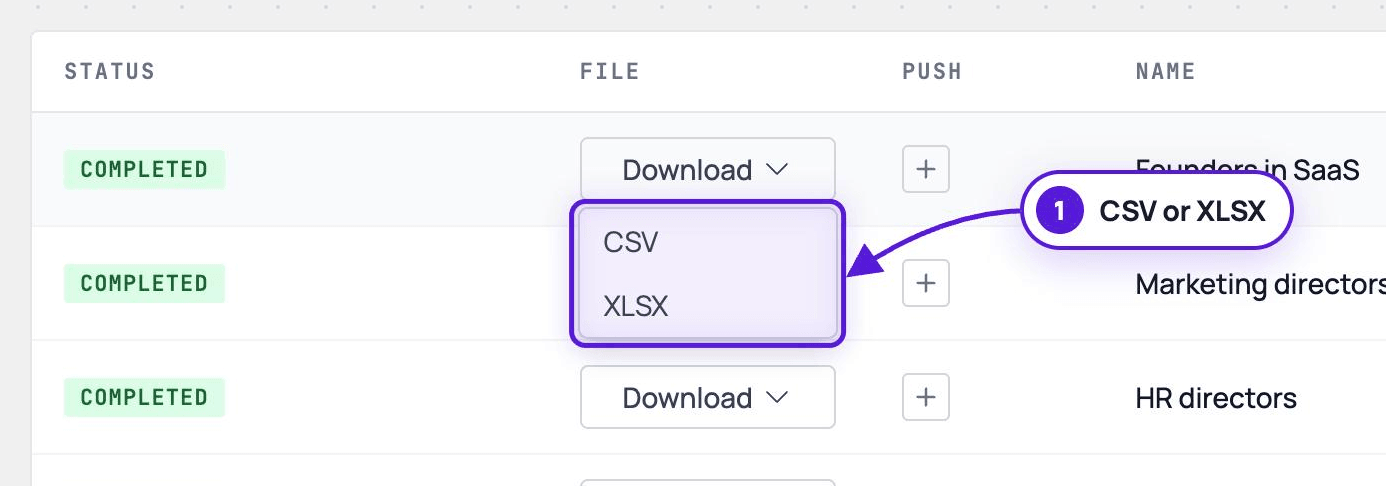
Every lead export finds emails automatically. There is no option to export leads without emails.
What you get in the file
Section titled “What you get in the file”Each exported lead costs one credit, verified email included. The full field list is in What Data Do I Get When I Export a Lead?
Emails are professional addresses only. Personal addresses are not collected, for GDPR reasons.
Cleaning
Section titled “Cleaning”First names, last names and company names arrive from LinkedIn full of emojis, stray capitals and typos. Evaboot strips the emojis, normalises capitalisation and corrects what it can. The file is then usable in a CRM or a sequencer without a pass of manual tidying.
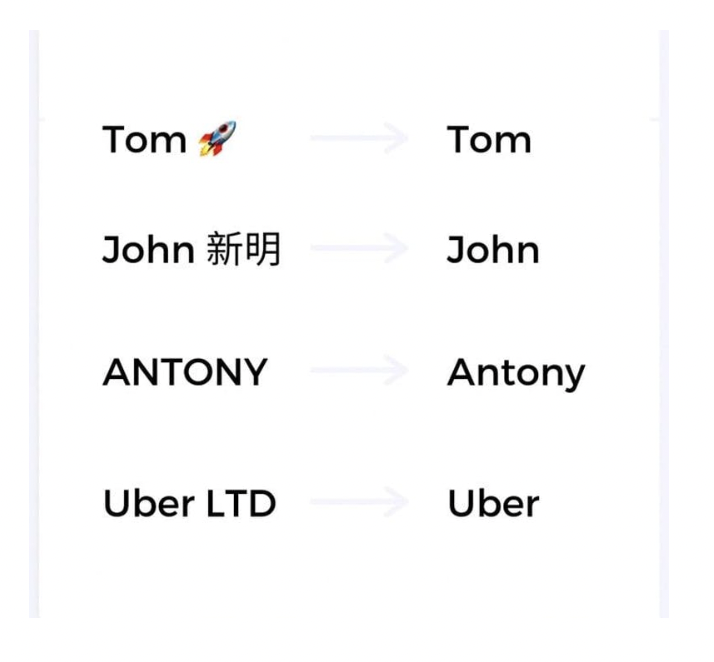
Filtering
Section titled “Filtering”Sales Navigator returns leads that do not match the filters you set — commonly 20% to 30% of them. Evaboot re-checks every lead against your search filters. It records the verdict in the first column of the file, with the reason in the second.
This runs on searches. Hand-built lists have no filters to check, so they get no verdict: see Why Do Some Leads in My Export Not Match My Filters?.
Limits worth knowing before you start
Section titled “Limits worth knowing before you start”- 2,500 leads or 1,000 accounts per 24 hours, per Sales Navigator account.
- A single search over 2,500 leads is truncated. Only the first 2,500 are collected; split the search instead. The Evaboot MCP server can split or narrow it for you: see How Do I Use Evaboot from Claude, ChatGPT or Cursor?
- An account search caps at 1,000 accounts.
- A saved lead list holds about 1,000 leads. That is a LinkedIn limit, not Evaboot. To get up to 2,500, export from the search instead of the list.
See Why Is My Export Scheduled? (The 2,500 Leads per Day Limit).