
How to download my invoices?
Your invoices are on Billing in the dashboard. They are also in the billing portal (your Stripe billing page), which opens from Edit billing information on the same page.
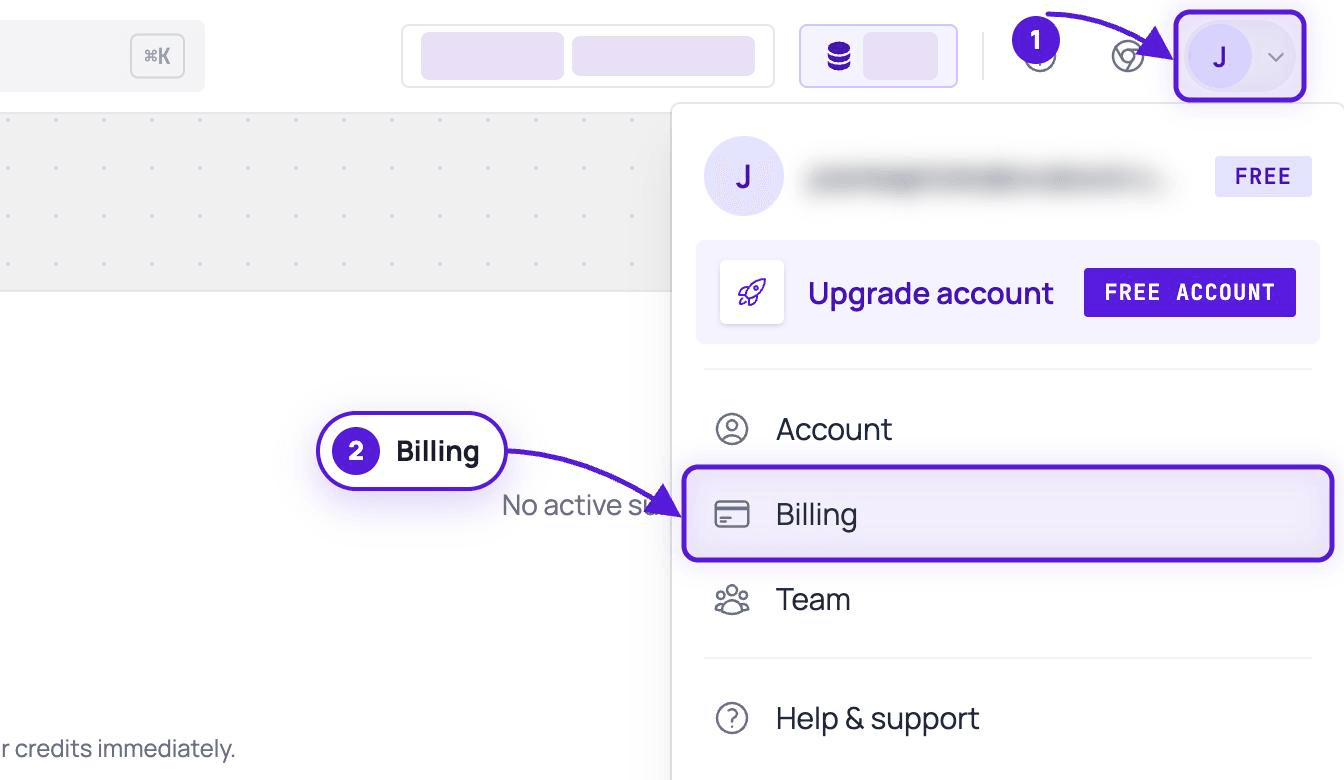
- Open the account menu: click your initial at the top right of the dashboard.
- Click Billing. You can also go straight to dash.evaboot.com/dash/subscription/.
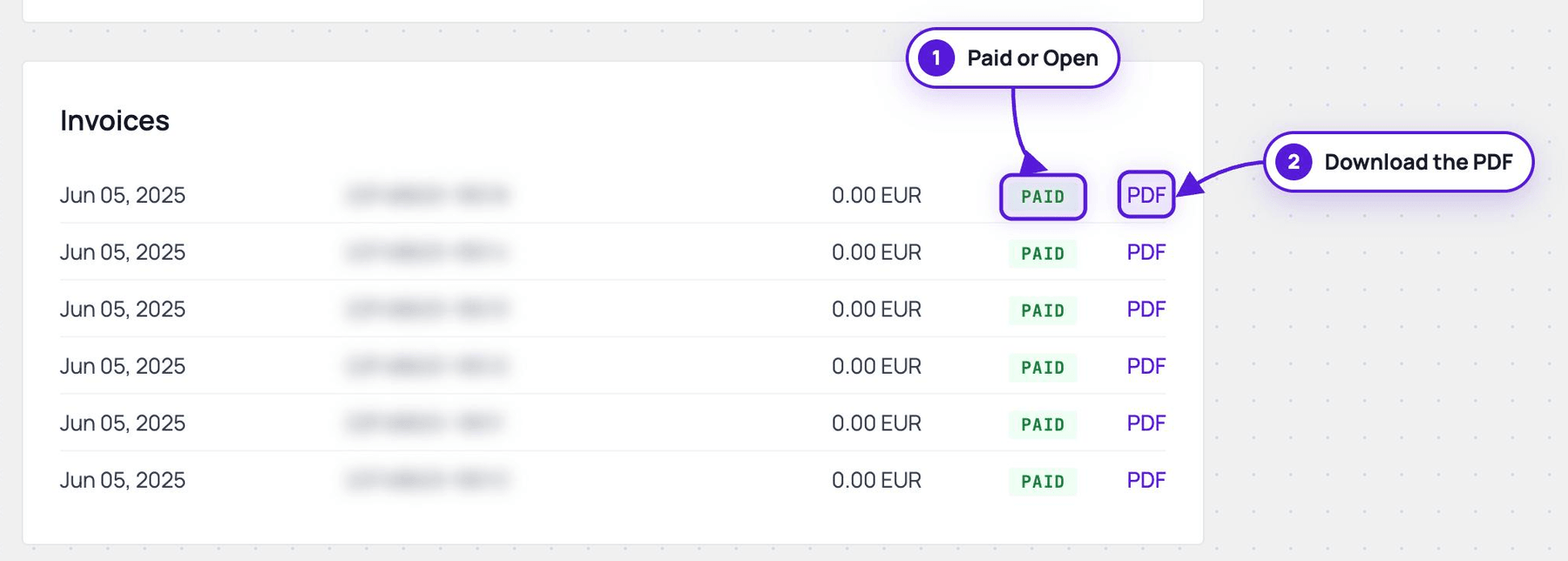
- Scroll to the Invoices card. Each line shows the date, the invoice number, the amount, and its payment status.
- Click PDF on the line you need. The invoice opens as a PDF you can save or print.
What the status means
Section titled “What the status means”Paid is settled, nothing to do. Open means the invoice was issued but has not been paid, usually because a card was declined. Open the PDF and pay it from there, or update your card first if it has expired: see How Do I Resolve Payment Errors?.
If the invoice details are wrong
Section titled “If the invoice details are wrong”The company name, address and VAT number printed on an invoice come from your billing information. Correct them before the next invoice is issued: see How to Edit My Billing Information?.
Was an invoice already issued with the wrong details? Send us the invoice number. We issue a credit note and a corrected invoice.