
How do I resolve payment errors when renewing or upgrading my Evaboot subscription?
A failed renewal or upgrade is almost always the payment method rather than the account.
Common causes
Section titled “Common causes”- Not enough funds on the card at the moment of the charge.
- A card limit was hit, per transaction or per month. Upgrades charge the full plan price at once, which is often larger than a normal renewal.
- The bank blocked the payment, commonly on international or online transactions.
- Card details are out of date, usually an expiry date that has passed.
-
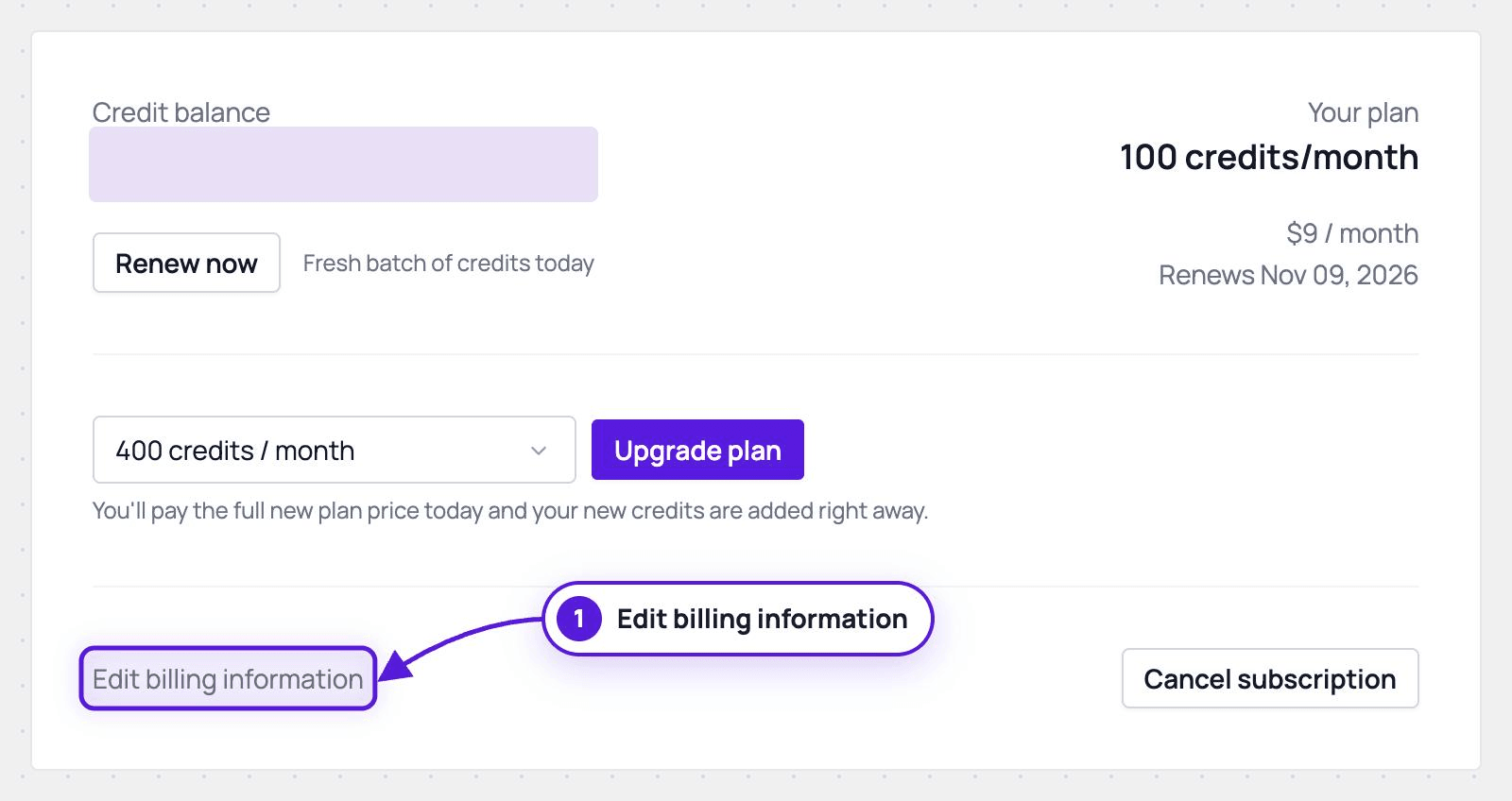
Update the card if needed. On Billing, click Edit billing information. The billing portal opens in a new tab, where you can replace the card and correct the billing details.
-
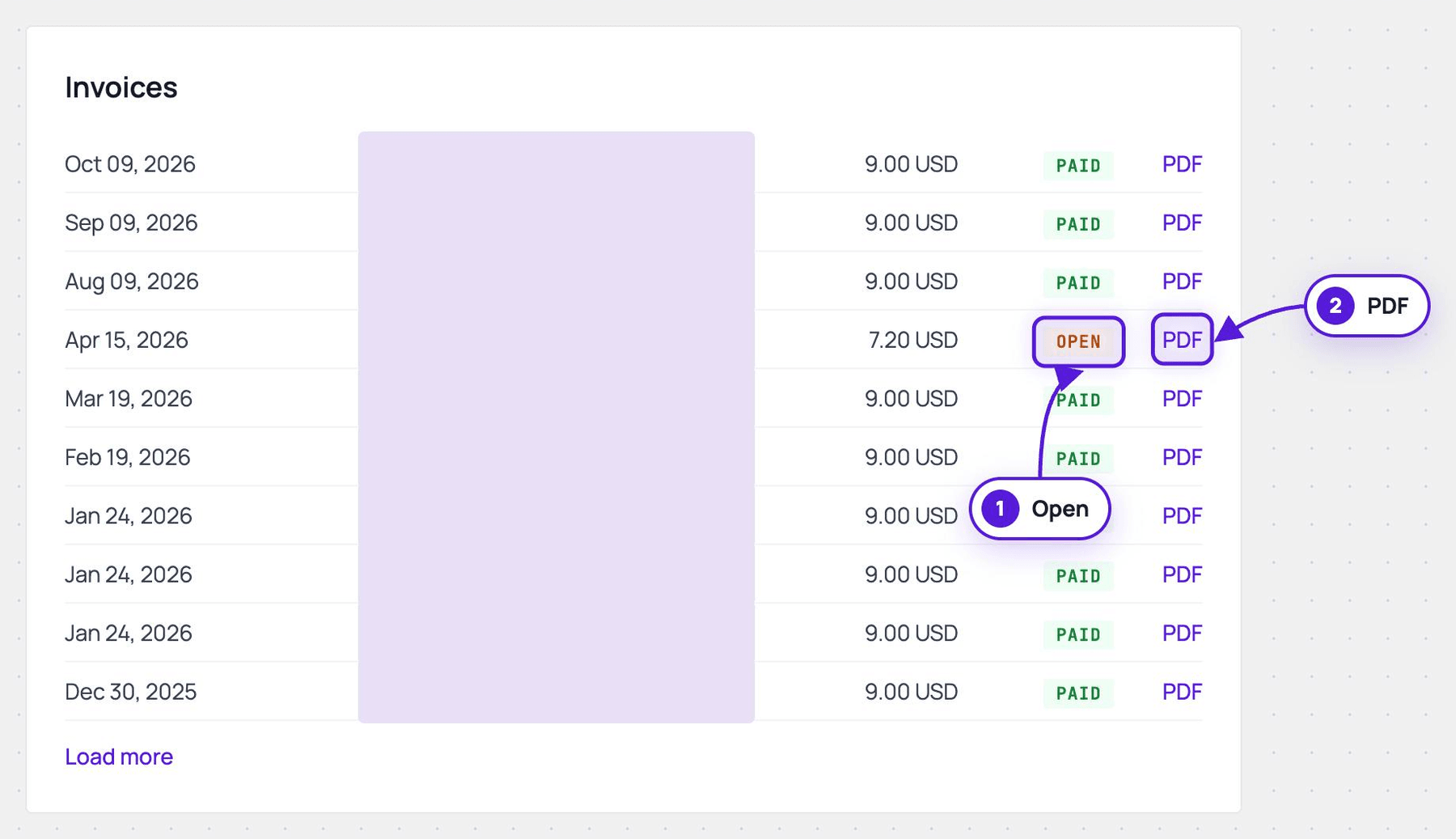
Pay the invoice marked Open.
-
On Billing, scroll to the Invoices card and click PDF on the Open line. Pay it from there.
-
Your credits are added once the invoice is paid.
-
Declines from a temporary limit or a bank check often clear on a second attempt.
-
-
Try a different card, ideally from another bank, if the same card keeps failing.
-
Call your bank if the payment is still declined. They can confirm whether they are blocking it and lift the block.
If it still fails
Section titled “If it still fails”Contact support with the date of the attempt and the message you saw. Do not retry a dozen times: repeated declines can make the bank block the card harder.