
How to edit my billing information?
Payment card and billing details are handled in the billing portal, which opens from the dashboard.
-
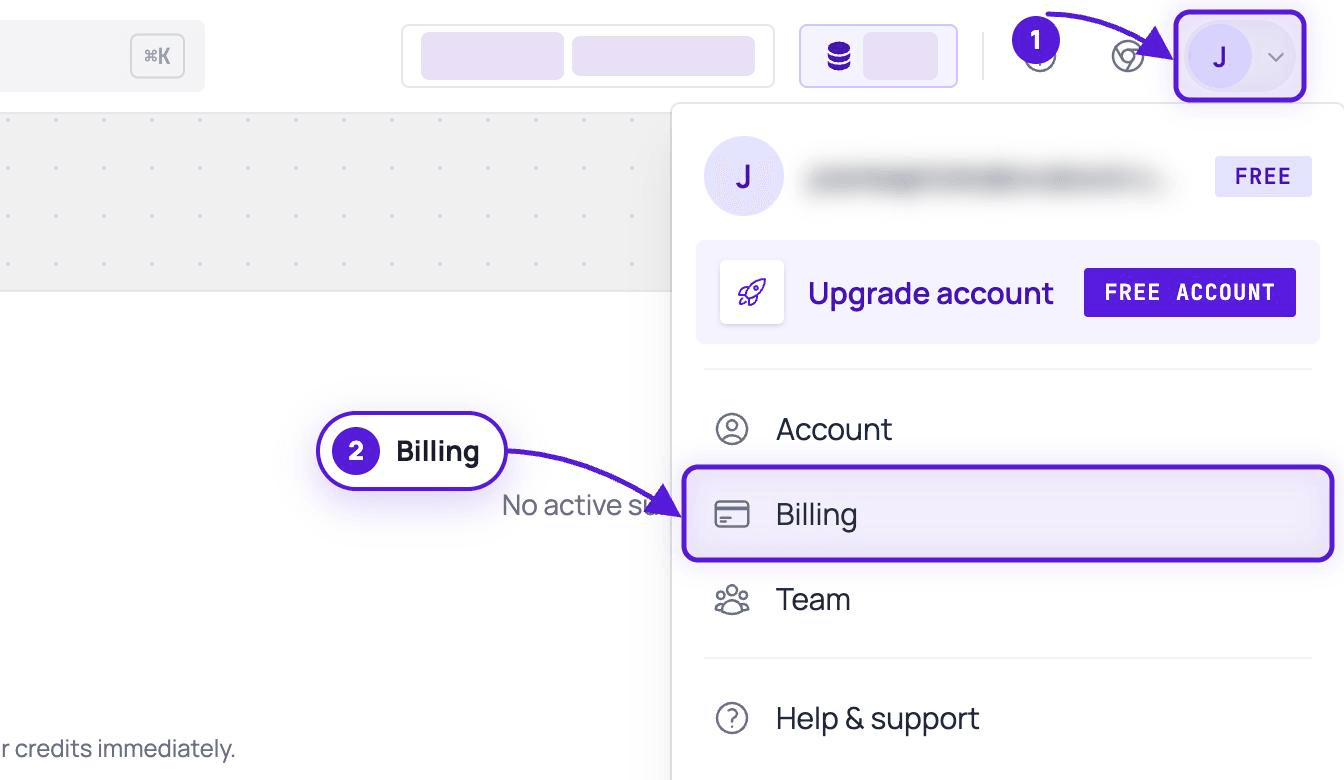
Go to Billing: dash.evaboot.com/dash/subscription/, or open the account menu at the top right and click Billing.
-
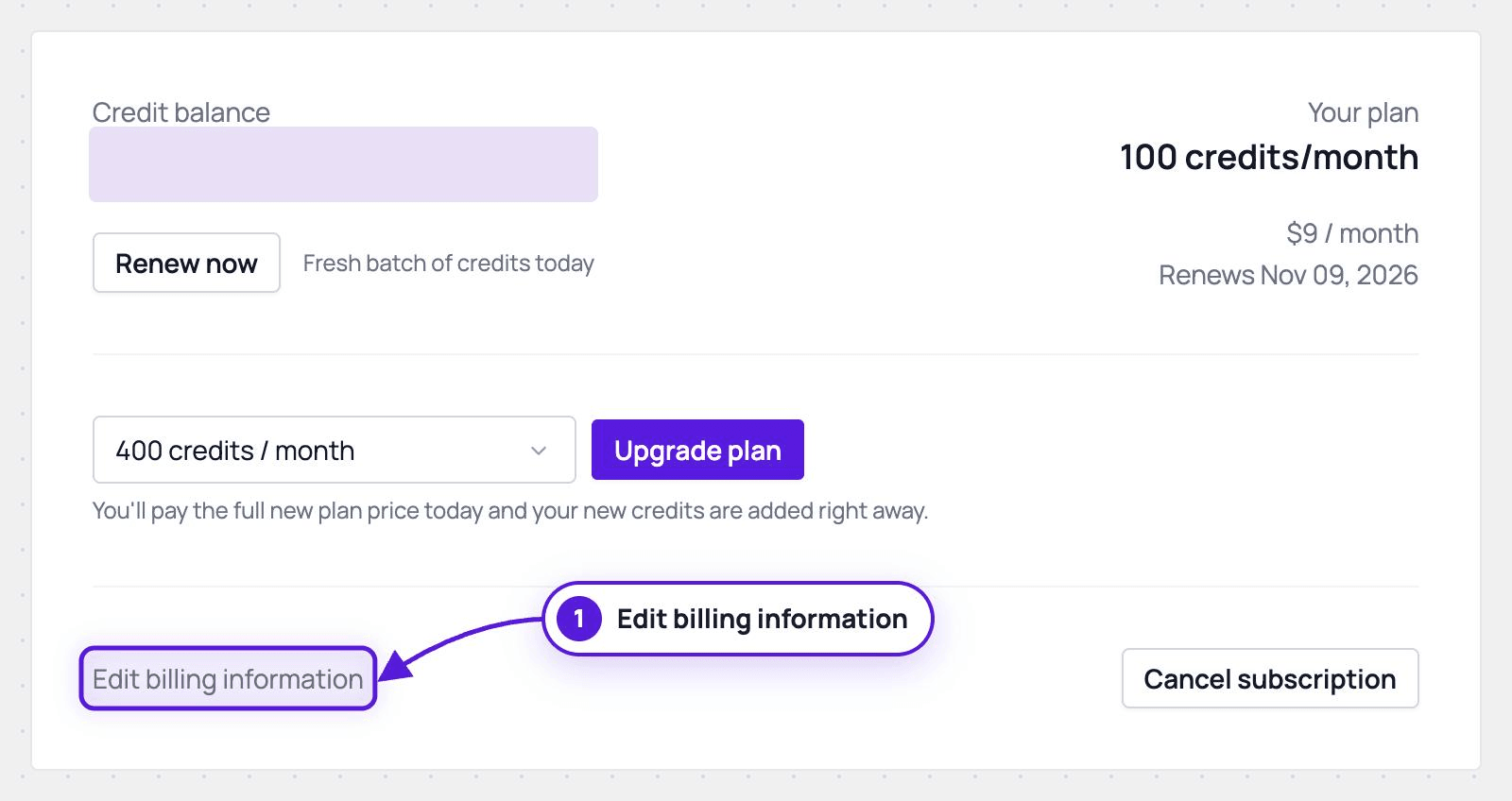
Click Edit billing information, under the plan selector.
-
The billing portal opens in a new browser tab.
- Update your card and billing details there. Changes apply from your next invoice onward.
- While a subscription is active, the card cannot be removed, only replaced. To stop charges, cancel the subscription.
Good to know
Section titled “Good to know”- Already-issued invoices are not updated automatically. Send us the invoice number and we reissue it with the new details.
- Past invoices stay in the dashboard, on the same Billing page. See How to Download My Invoices?.
- If the new tab does not open, check that your browser is not blocking pop-ups for dash.evaboot.com.