
Why did my export fail?
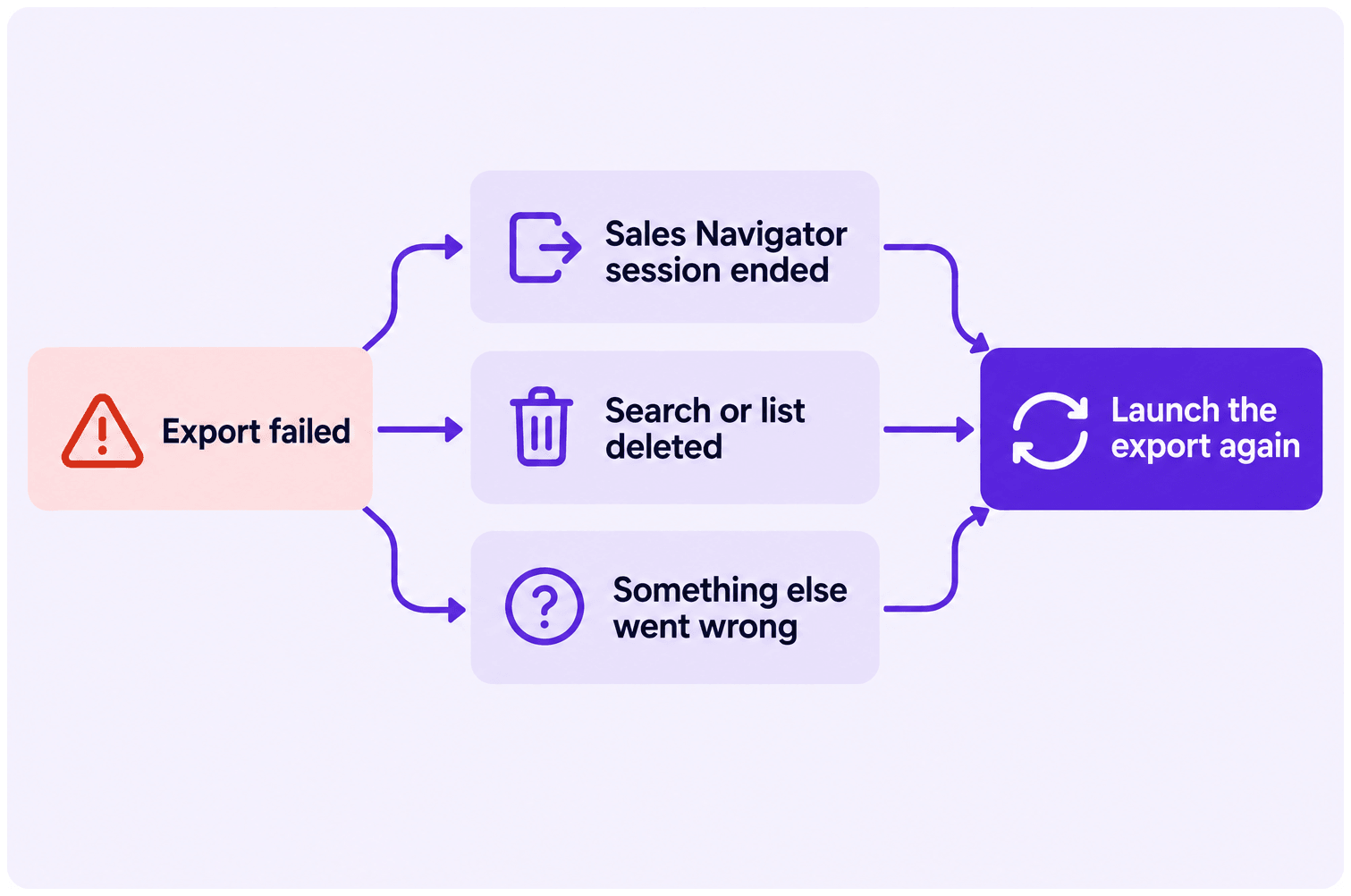
An export that stops before it finishes has almost always lost the thing it was reading: your Sales Navigator session, or the search itself.
The three causes
Section titled “The three causes”- Your Sales Navigator session ended while the export was running. Logging out is the usual trigger; sessions also expire on their own over time.
- The search or list was deleted before the export finished — by you, or by a colleague sharing the account.
- Something else went wrong. Rarer, and worth telling us about.
What you can do while an export runs
Section titled “What you can do while an export runs”You can close the tab, leave LinkedIn, leave Evaboot, close the browser, even shut down the computer. The export keeps running on our side.
The one thing you cannot do is log out of LinkedIn before it finishes. That ends the session the export is reading from, and it fails. Once the export is complete, log out whenever you like.
Steps to fix it
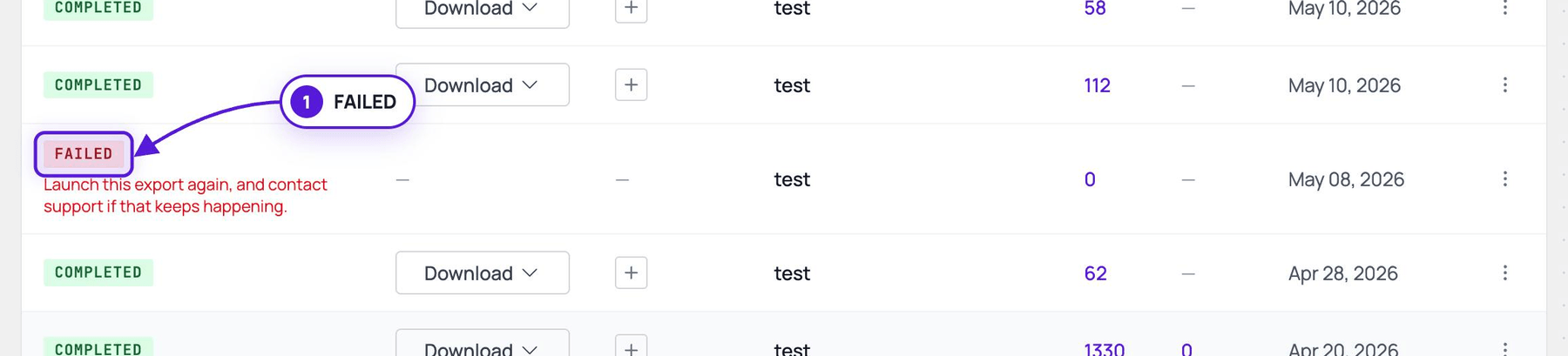
Section titled “Steps to fix it”- Find the failed export in your exports list at dash.evaboot.com/dash/exports/. It is marked FAILED, with “Launch this export again, and contact support if that keeps happening.”
- Check your extension.
- Open
chrome://extensions/and make sure there is exactly one Evaboot extension, and it’s the current version. - See How Do I Install or Update the Evaboot Extension?.
- Open
- Log back in to Sales Navigator.
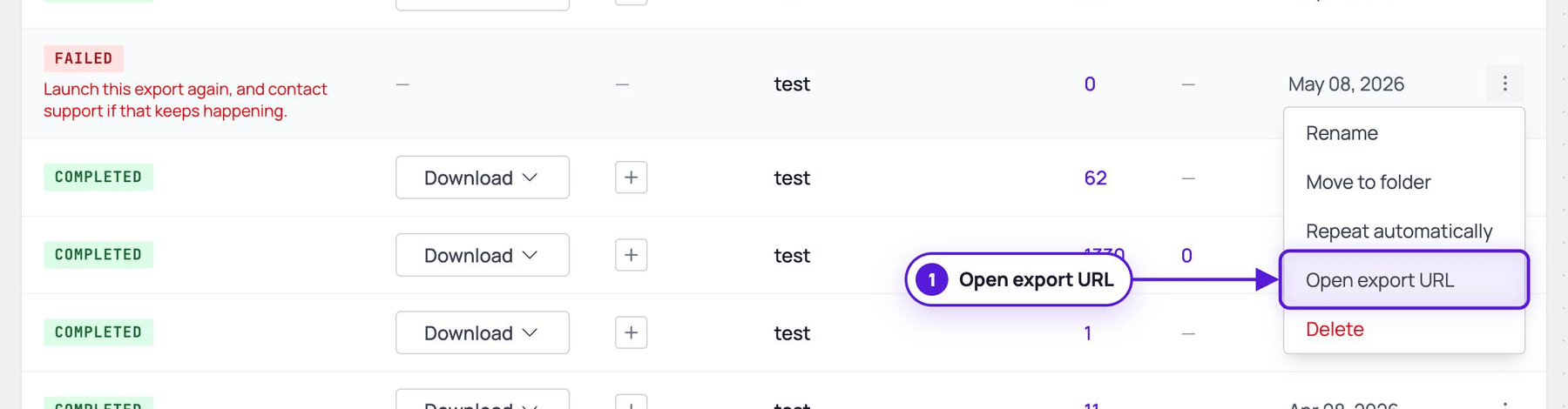
- Open the search again. In the export’s ⋮ menu, choose Open export URL, and check the search or list still exists.
- Launch the export again with Export Leads, and watch the new run in your exports list.
If you hit a daily limit error on the relaunch
Section titled “If you hit a daily limit error on the relaunch”That is the 2,500 leads / 1,000 accounts per 24 hours cap, not a failure of the export. Tell us in the chat and we can relaunch it on our end. See Why Is My Export Scheduled? (The 2,500 Leads per Day Limit).
About the credits
Section titled “About the credits”If an export failed and you are not sure what it cost you, contact the chat with the export name. We check the run and put it right — do not re-run it repeatedly to test.