How to reconnect your LinkedIn account
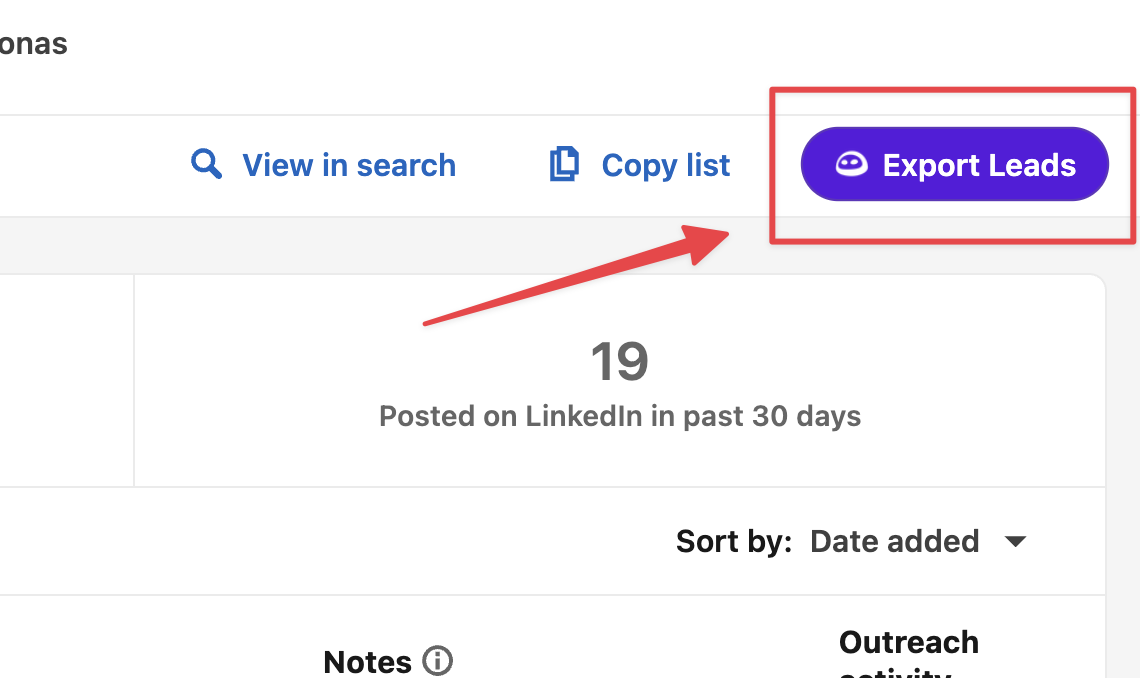
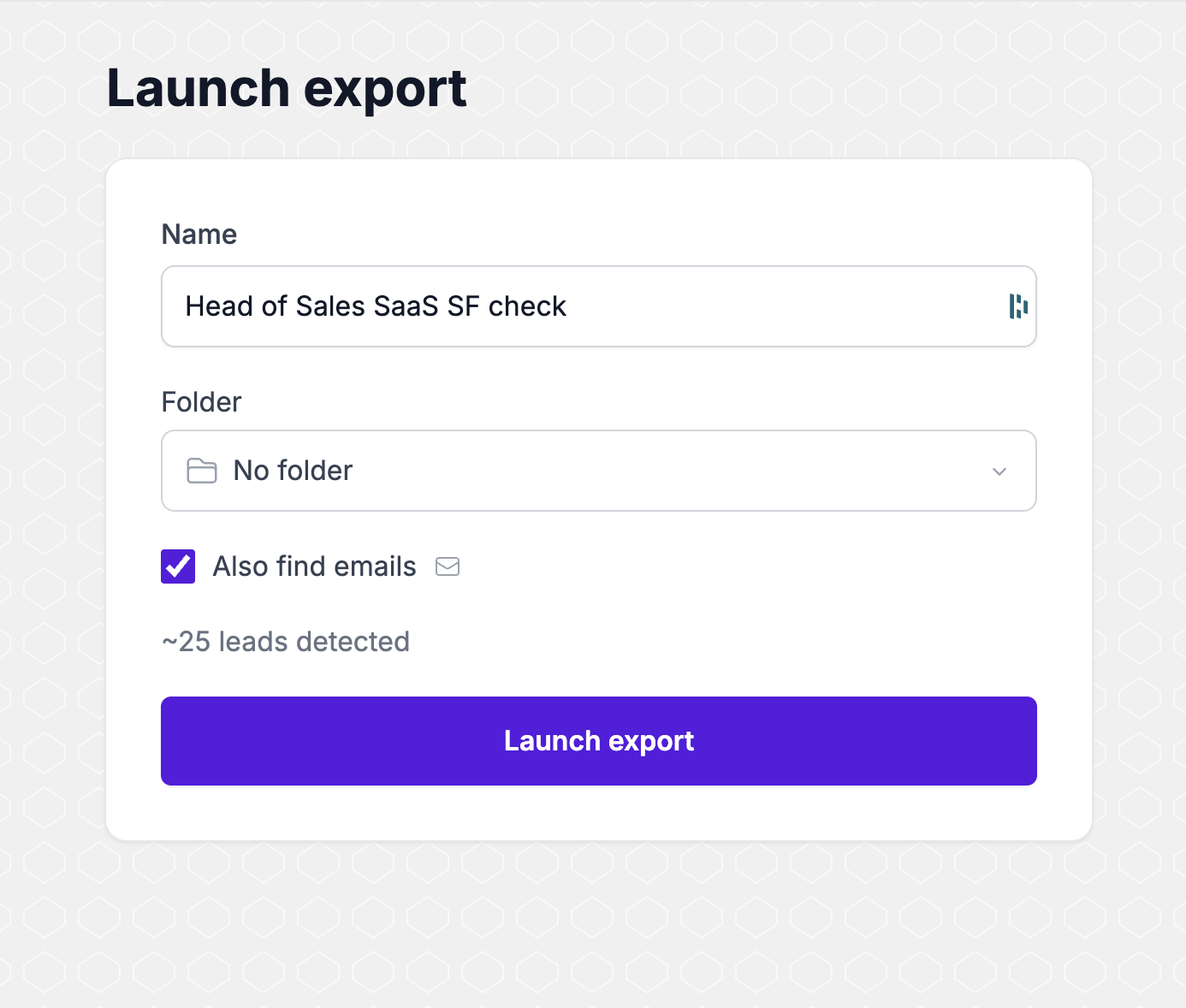
Click the purple Evaboot button on Sales Navigator. The Launch export page that opens saves your LinkedIn cookies. You do not need to click Launch export.
When you need this
Section titled “When you need this”Use these steps when Evaboot says your LinkedIn connection has expired, or that no Sales Navigator account is connected.
The cookies saved on your Evaboot account are missing, or LinkedIn no longer accepts them. Evaboot cannot create a new LinkedIn session. The seat stays blocked until the Launch export page has opened and saved a fresh session.
Before you start
Section titled “Before you start”- Same Evaboot account. Sign in as the account your API key, CLI, or connector uses. Cookies saved on a different login do not fix this one.
- Chrome or Edge. The extension does not run on Safari or Firefox.
- One extension. Two Evaboot extensions at once cause a different failure. See How to Install the Latest Evaboot Extension.
- Sign in at dash.evaboot.com.
- Install the current extension if Chrome does not already have it: Add the Evaboot extension. On that page, click Add to Chrome, then Add extension.
- Open a Sales Navigator search or lead list while you are logged in to LinkedIn.
- Click Export Leads. On a search the same button reads Export with Evaboot.
- Leave the Launch export page open for a moment, then close it. Evaboot saves your session when this page opens. Do not click Launch export unless you also want the leads.
- Retry the command or tool that failed.
Second method: copy the cookies into the chat
Section titled “Second method: copy the cookies into the chat”Use this when the purple button is missing, or the Launch export page does not open.
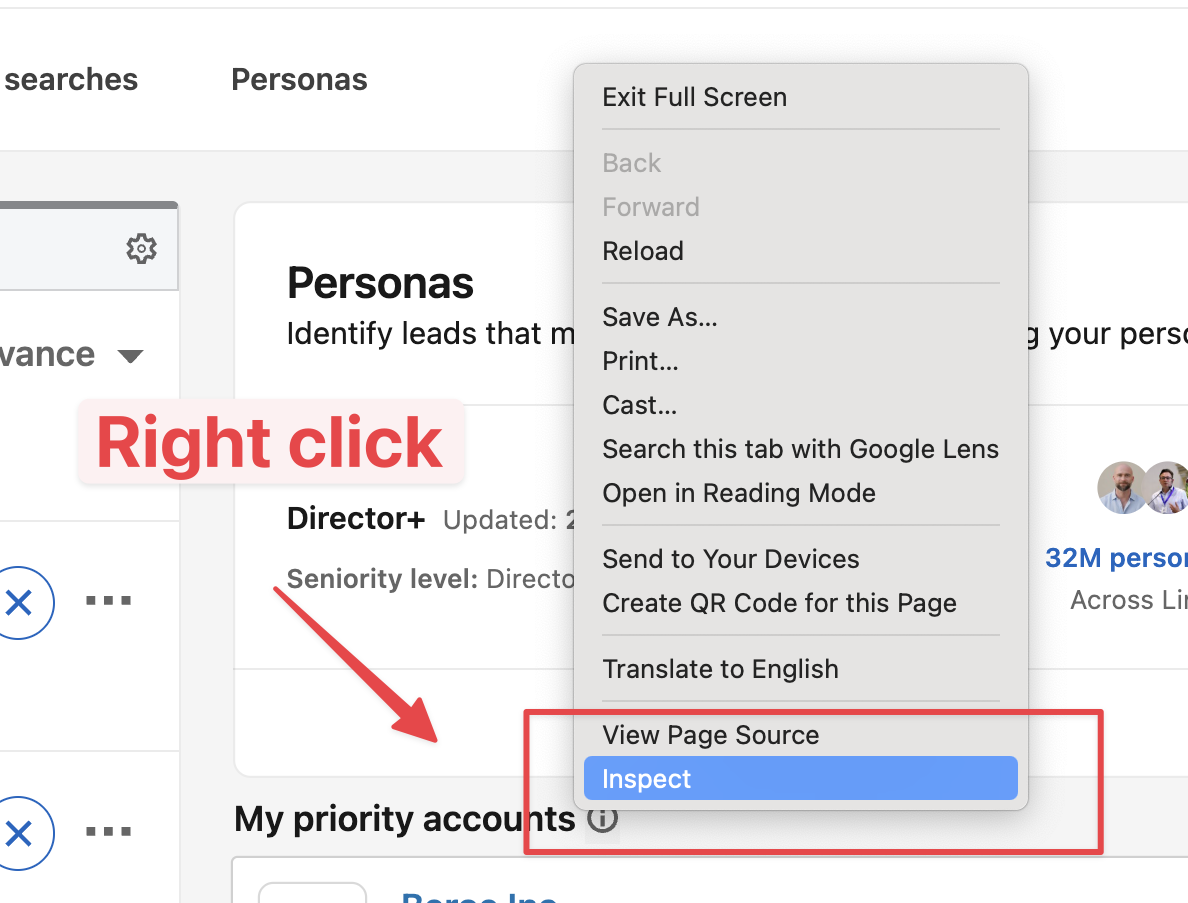
- On the LinkedIn page, right-click and choose Inspect.
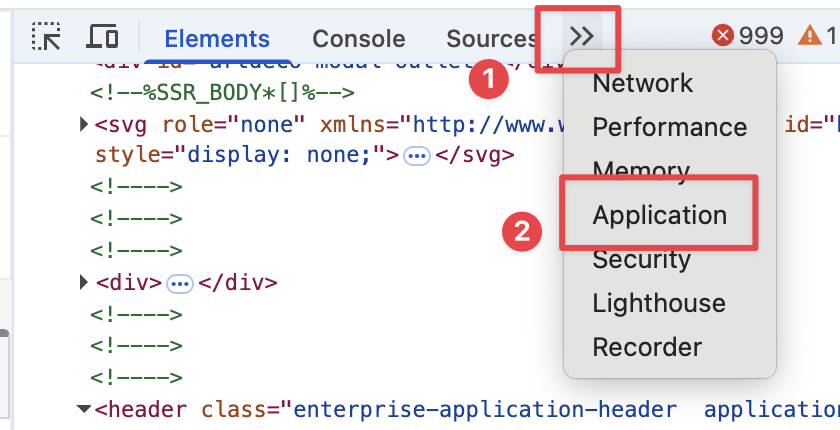
- In DevTools, click >> and choose Application.
- Under Cookies, select https://www.linkedin.com. Copy li_a and li_at. Paste both values in the chat.
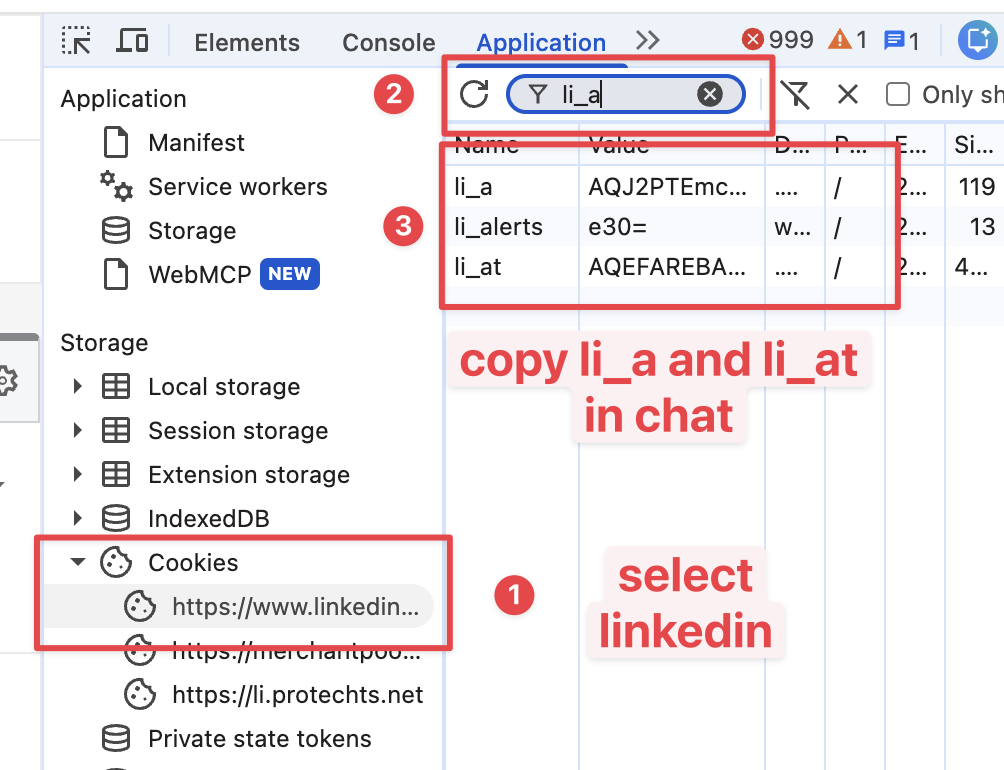
The chat saves them on your Evaboot account. You do not need to click Launch export.
What does not refresh the cookies
Section titled “What does not refresh the cookies”- Installing or reinstalling the extension, then stopping there.
- Opening Sales Navigator without clicking Export Leads.
- Signing in to a different Evaboot account than the one the failing tool uses.
If it didn’t work
Section titled “If it didn’t work”- No purple Evaboot button. Hard-reload Sales Navigator (
Cmd+Shift+R/Ctrl+Shift+R). Atchrome://extensions/, confirm exactly one Evaboot extension is enabled. - The install page shows an error. The Chrome Web Store listing was just reissued. Tell us in the chat. Do not search the store for “Evaboot”.
- The same error comes back. Tell us in the chat, with the email on the Evaboot account. We can see whether the new cookies landed.