
How does the Evaboot Email Finder work?
Evaboot’s Email Finder finds and verifies professional emails. We do not provide personal emails, since that isn’t GDPR-compliant.
1 email found + verified = 1 credit. Emails that aren’t found cost nothing. In a Sales Navigator export, the email is included in the lead’s credit.
Two ways to use it
Section titled “Two ways to use it”- During an export — every lead in a Sales Navigator export gets an email lookup automatically.
- From your own file — upload a contact list at dash.evaboot.com/dash/mail/finder/.
Find emails from a file
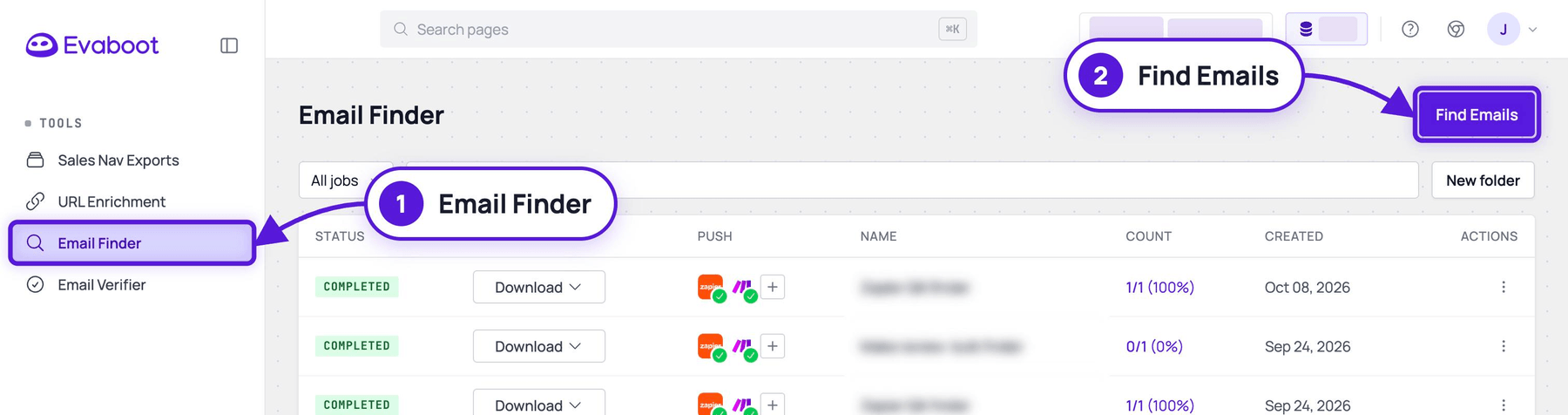
Section titled “Find emails from a file”- Click Email Finder in the left menu, or open dash.evaboot.com/dash/mail/finder/. Your past jobs are listed there.
- Click Find Emails at the top right.
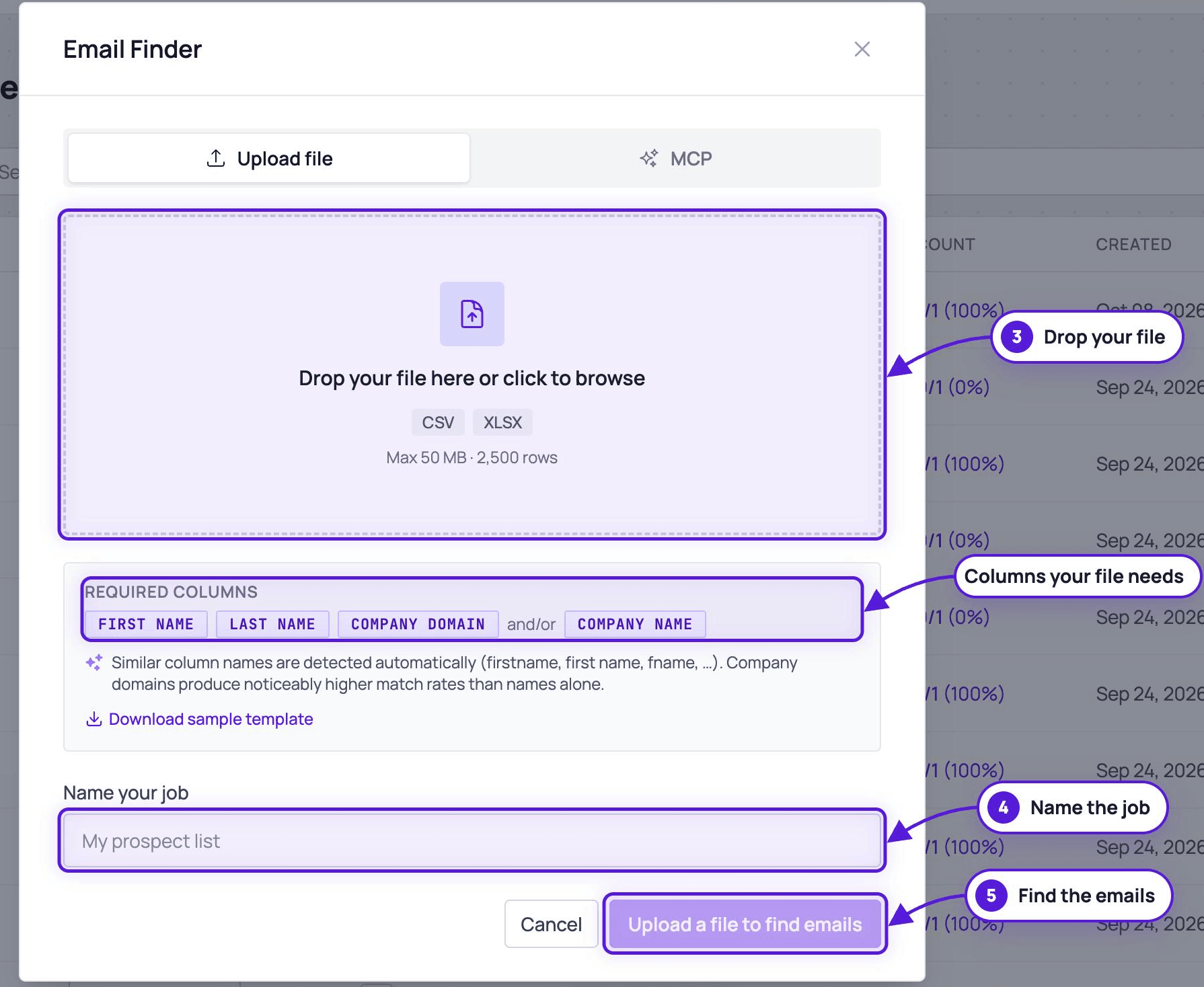
- Drop your file —
CSVorXLSX, max50 MBand 2500 rows.- Required columns:
First Name,Last Name, andCompany Domainand/orCompany Name. - Similar column names are detected automatically (
firstname,first name,fname, …). - Company domains produce noticeably higher match rates than names alone.
- A Download sample template link on the page gives you the exact format.
- Required columns:
- Name your job.
- Click Upload a file to find emails.
How does it find emails?
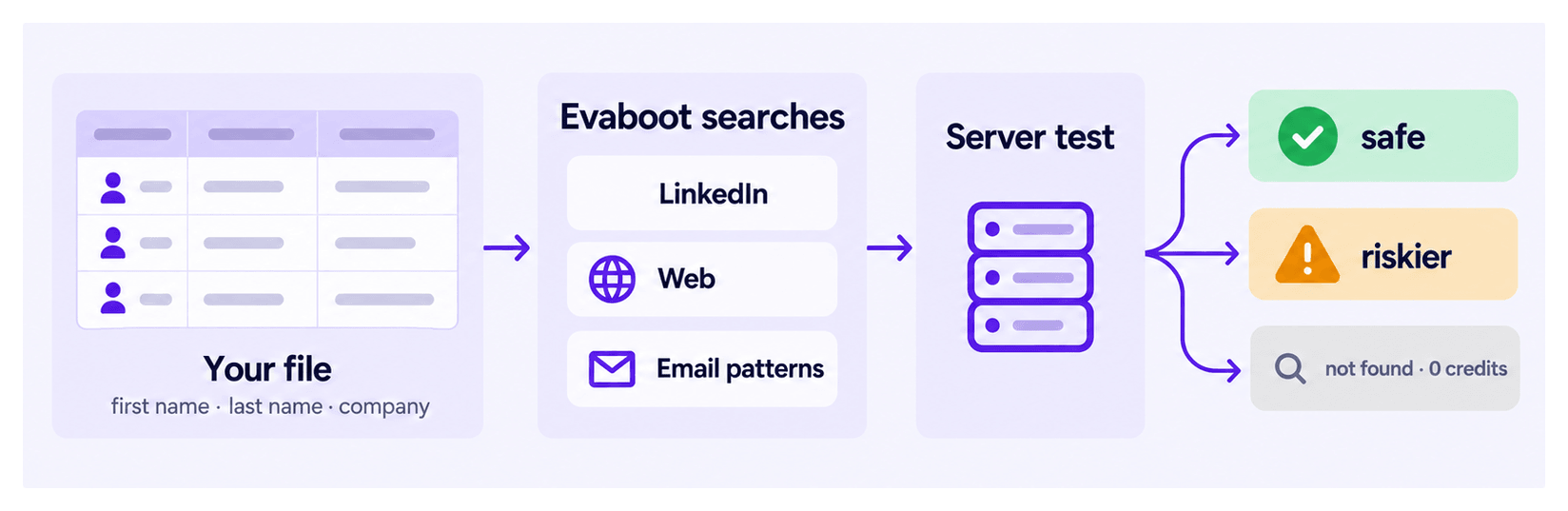
Section titled “How does it find emails?”The Evaboot Email Finder is algorithm-based. It uses:
- LinkedIn scraping
- Web scraping
- Pattern research
Are the emails verified?
Section titled “Are the emails verified?”Yes. All emails found by Evaboot are server-tested. You don’t need another tool to verify emails after using Evaboot.
You will see two outputs in the file:
- safe: the email is highly safe to use.
- riskier: the email is riskier to use, with a 0 to 25% chance of potential bounce — use these with extra caution.