
How does the Email Verifier work?
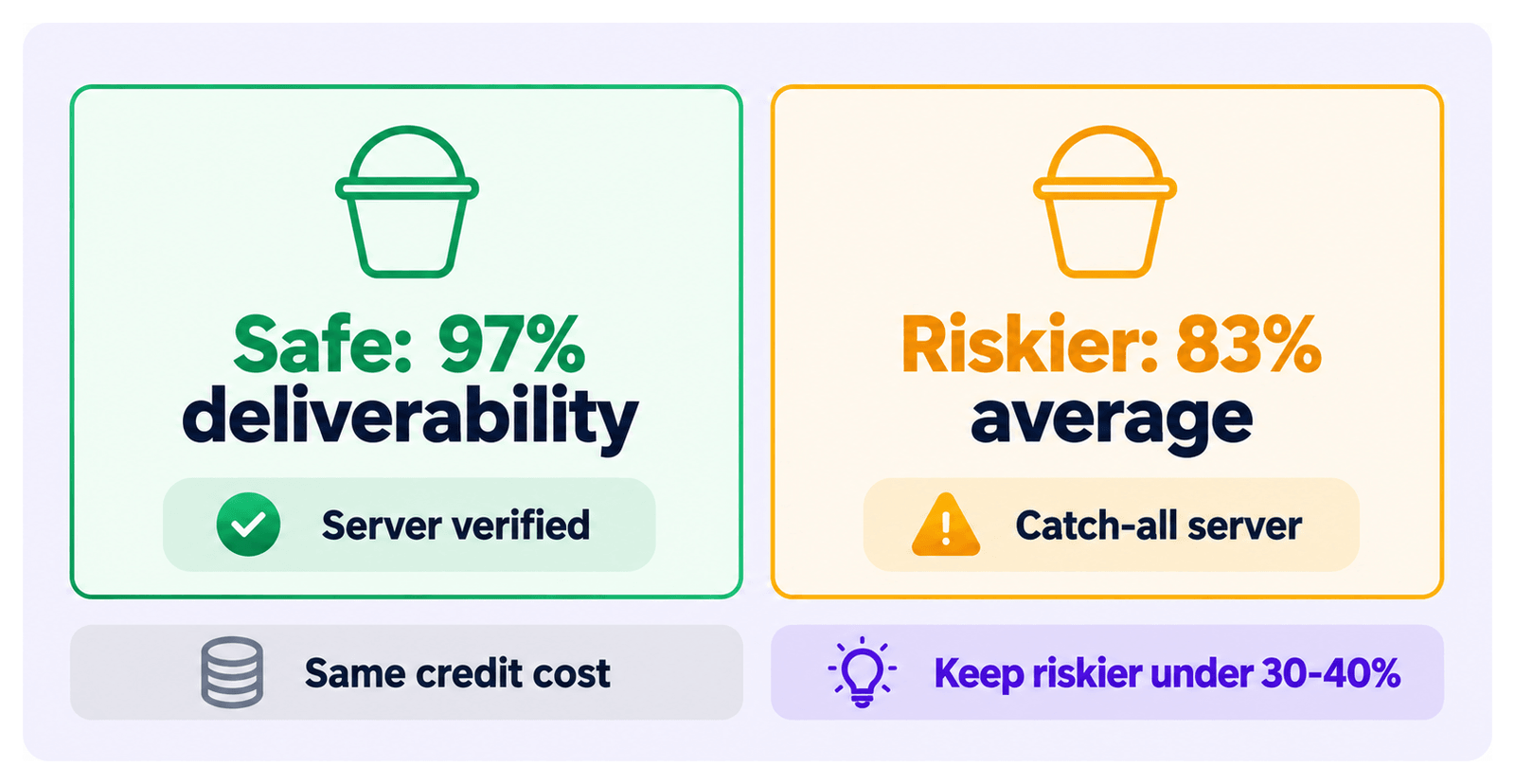
The Email Verifier server-tests every email and marks it safe or riskier.
- safe: the email has a 97% deliverability.
- riskier: the email has an 83% deliverability.
When does verification happen?
Section titled “When does verification happen?”- Automatically on every email the Email Finder finds — during every lead export, and on Email Finder jobs. No extra step needed.
- On your own list — check any list of email addresses at dash.evaboot.com/dash/mail/verifier/, at 1 credit per email checked. Malformed lines are dropped and cost nothing.
Verify your own list
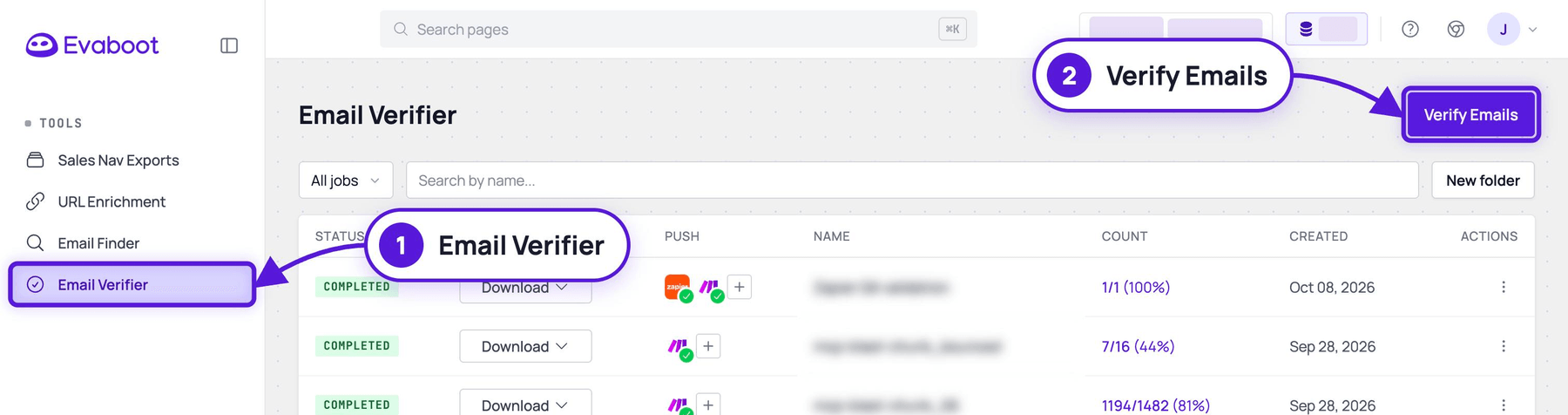
Section titled “Verify your own list”- Click Email Verifier in the left menu, or open dash.evaboot.com/dash/mail/verifier/. Your past verifications are listed there.
- Click Verify Emails at the top right.
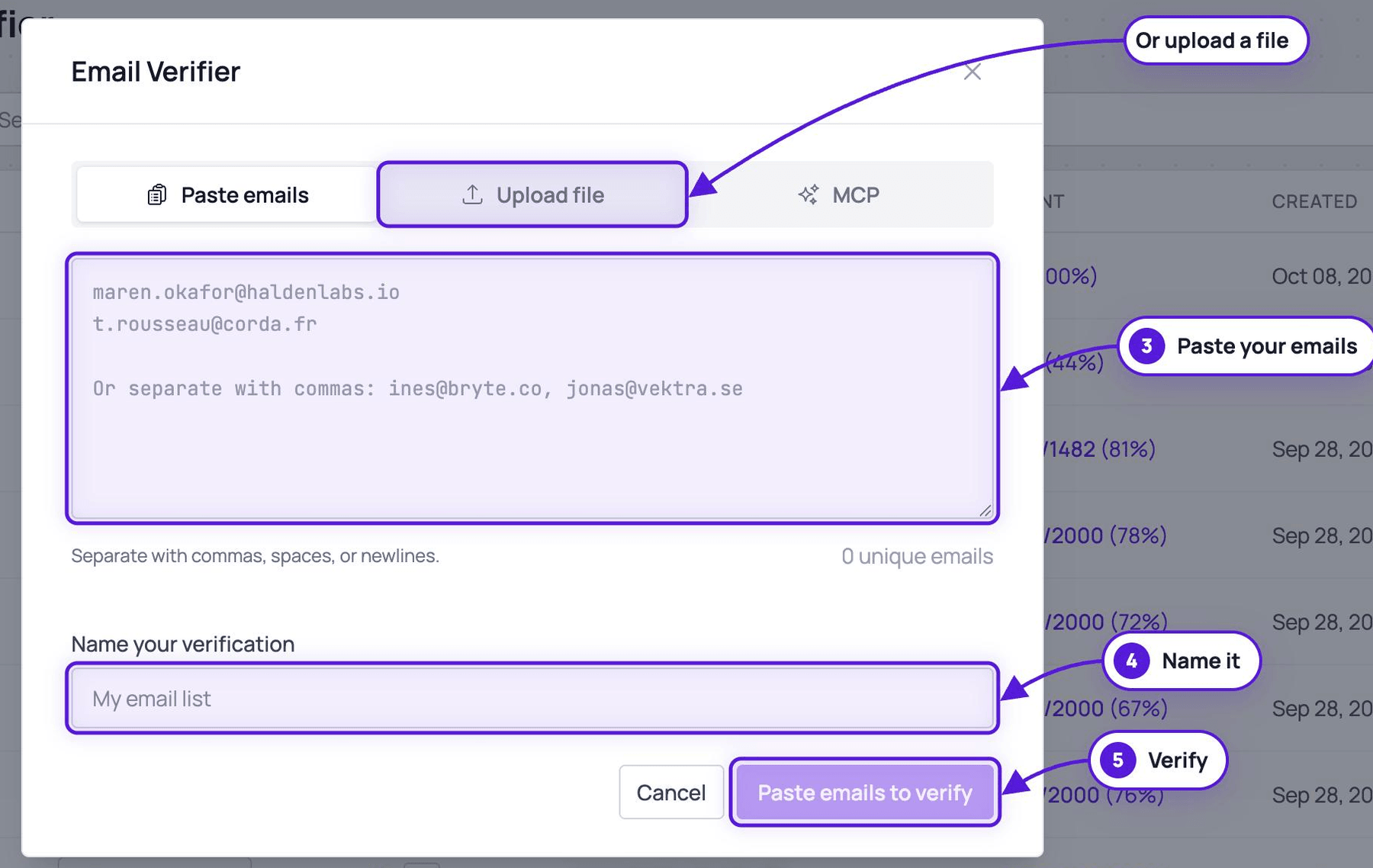
- Paste your emails — separate with commas, spaces, or newlines. The counter shows how many unique emails Evaboot recognized.
- Or click Upload file to drop a
CSVorXLSXinstead.
- Or click Upload file to drop a
- Name your verification.
- Click Paste emails to verify (or Verify uploaded emails).
What techniques are used to verify the emails?
Section titled “What techniques are used to verify the emails?”Evaboot uses many different techniques to verify the validity of your emails:
- SMTP validation: removes dead, invalid, and unresponsive emails from your list.
- MX record check: confirms the email is in use and able to accept mail.
- Catch-all check: checks against known catch-all email and domain databases.
- Domain check: checks whether the email’s domain is real.
- Spam traps: uses smart spam-trap indicators to remove honeypots.
- Disposable check: detects temporary, disposable, and questionable emails.
- Syntax check: confirms the email is typed correctly and all symbols are in place.
- Graylist-proof: verifies some of the hardest-to-check ESPs.
- Risk validation: removes emails containing high-risk keywords and TLDs.