
Why do some leads in my export not match my filters?
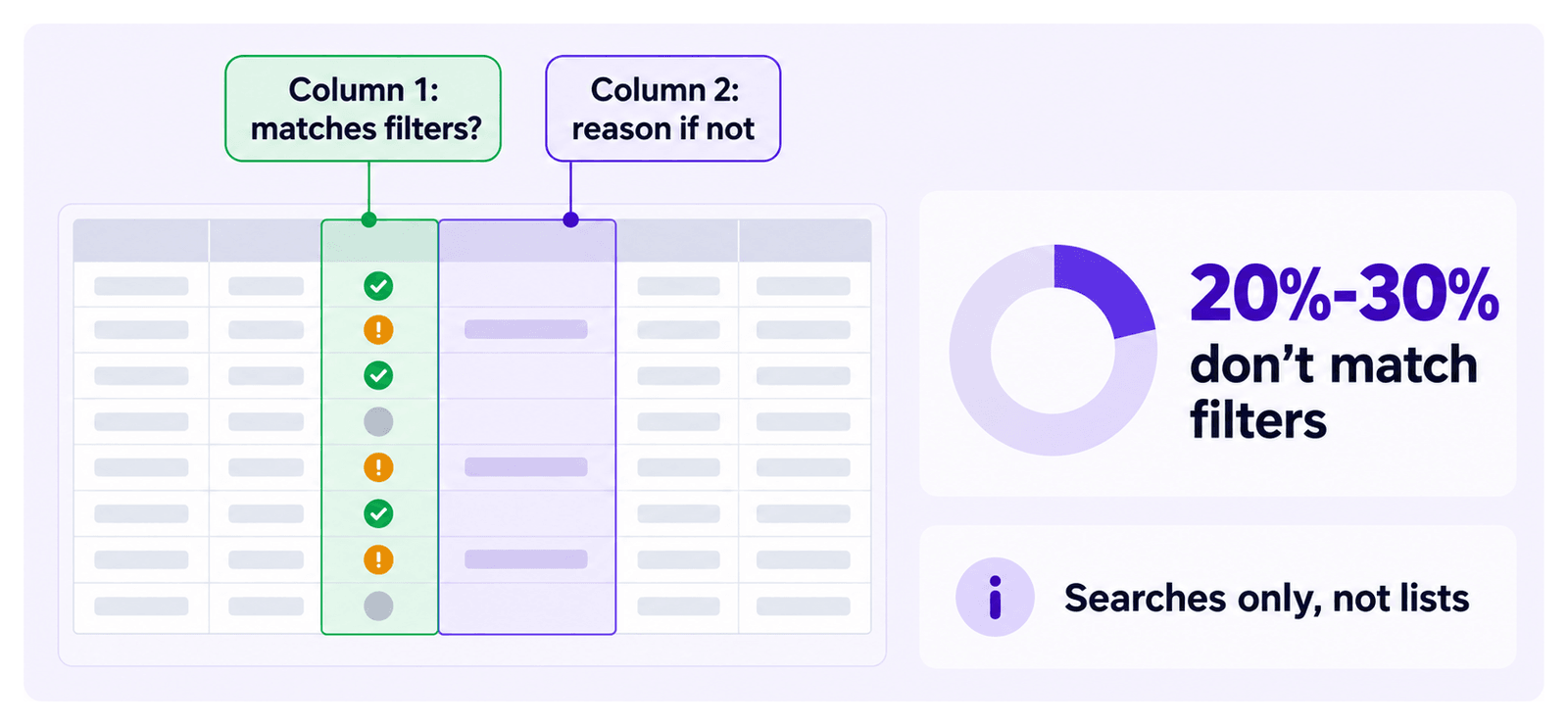
Sales Navigator returns leads that do not actually match the filters you set. On a typical search, 20% to 30% of results do not match the filters that produced them.
Evaboot re-checks every lead against your Sales Navigator filters and flags the ones that genuinely match. Those are your filtered leads.
Where to find it
Section titled “Where to find it”The verdict is in the export file, not in the dashboard. Download the export and look at the first two columns:
- The first column says whether the lead matched your search filters.
- The second column gives the reason when it did not.
Download from dash.evaboot.com/dash/exports/ using the Download button on the export’s row, in CSV or XLSX.
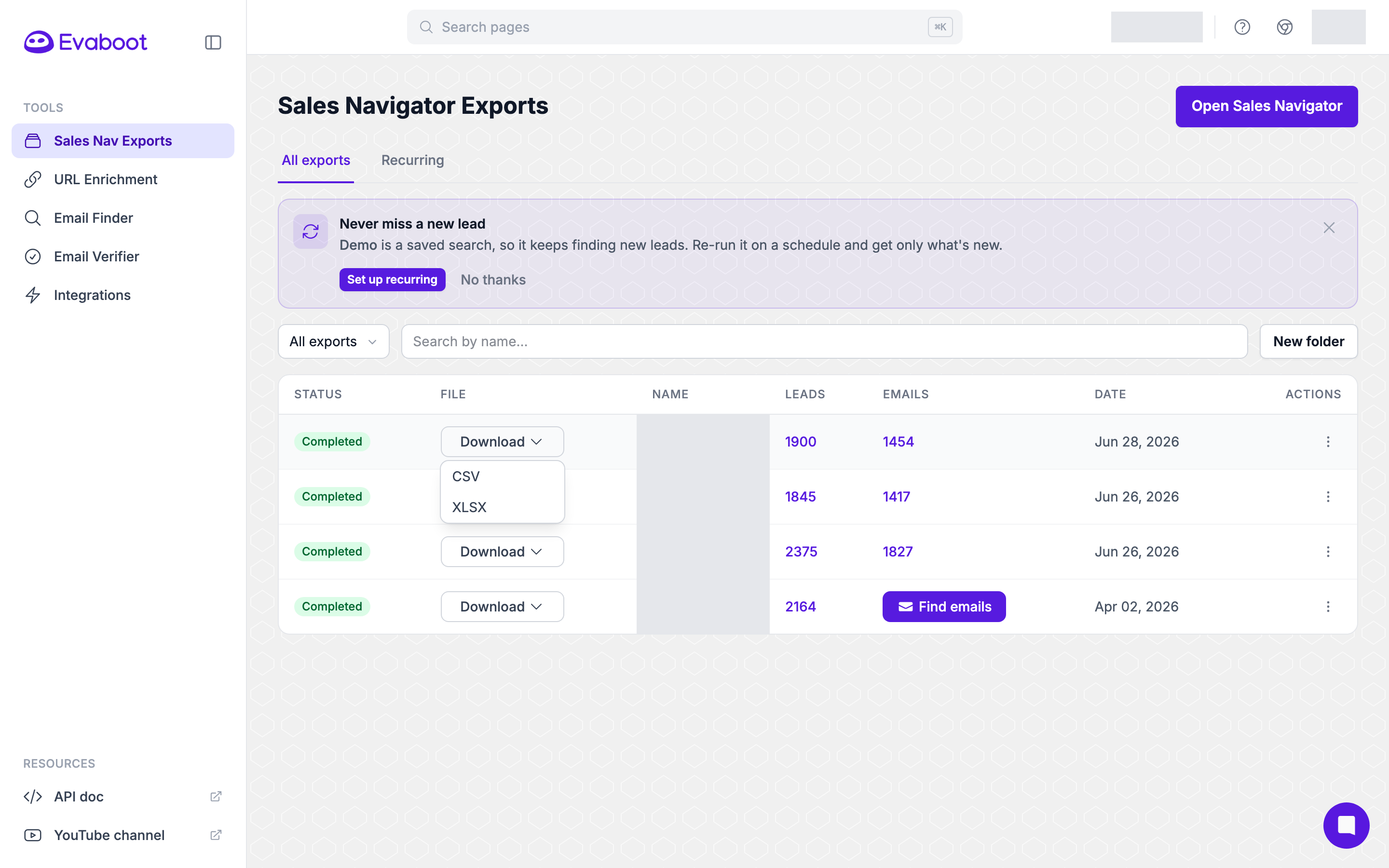
The file contains every lead that was exported. Sort or filter on the first column in your spreadsheet to work with the matches alone.
Why the rate is what it is
Section titled “Why the rate is what it is”A low match rate is usually Sales Navigator’s doing rather than yours. Its filters are looser than they look:
- Job-title filters match past titles, so people who have moved on still appear.
- Company filters catch former employees the same way.
- Keyword searches match anywhere in the profile, including a description of someone’s clients rather than their own role.
- Location is based on the profile’s stated region, which people do not update when they move.
How to get more matches
Section titled “How to get more matches”Tighten the search rather than the export:
- Use “Current” job title and company instead of the versions that include past roles.
- Prefer Sales Navigator’s structured filters — industry, headcount, seniority — over free-text keywords.
- Include a lead or account list in your search rather than stacking more filters.
- For example, include an account list in your lead search: see How to Find Decision Makers in a Company with Sales Navigator?.
- Excluding a list also works, but needs Sales Navigator Advanced or Advanced Plus: see How Do I Avoid Exporting the Same Leads Twice?.
- Read the second column. The stated reasons tell you which filter is leaking, which is faster than guessing.
Why can’t I see the number of filtered leads in my list?
Section titled “Why can’t I see the number of filtered leads in my list?”The check only runs on searches. A lead list you assembled by hand has no filters to compare against, so no match column is produced. If you expected the column, check on dash.evaboot.com/dash/exports/ whether the export came from a saved list or a search: from a list, no match column is the expected result.
Everything else is the same. A list export is cleaned, enriched and email-verified exactly like a search export. To get the check, run the equivalent search in Sales Navigator and export that.